

Using the TikTok API for tracking conversions
You can send conversions to TikTok server-to-server through the TikTok Events API. FunnelFlux fires a postback URL to a relay, and the relay sends the event to your TikTok pixel. This integration may not cover every TikTok Events API feature.
You need:
- A TikTok Ads Manager account
- A TikTok pixel and its pixel ID
- An Events API access token for that pixel
Step 1: Generate an access token
Section titled “Step 1: Generate an access token”TikTok generates Events API access tokens in Events Manager.
- Sign in to TikTok Ads Manager.
- Go to Tools > Events Manager.
- Under Data sources, select your web pixel.
- Open the pixel’s Settings tab.
- In the Events API section, click Generate Access Token.
- Copy the access token and the pixel ID to a text editor.
If you lose the token, generate a new one the same way. See TikTok’s Events API guide for details.
Step 2: Set up TikTok as a traffic source in FunnelFlux
Section titled “Step 2: Set up TikTok as a traffic source in FunnelFlux”In FunnelFlux, go to the traffic sources page and create a new one. There is no TikTok template, so add the tracking field yourself.
You only need to capture one tracking field: the click ID, ttclid.
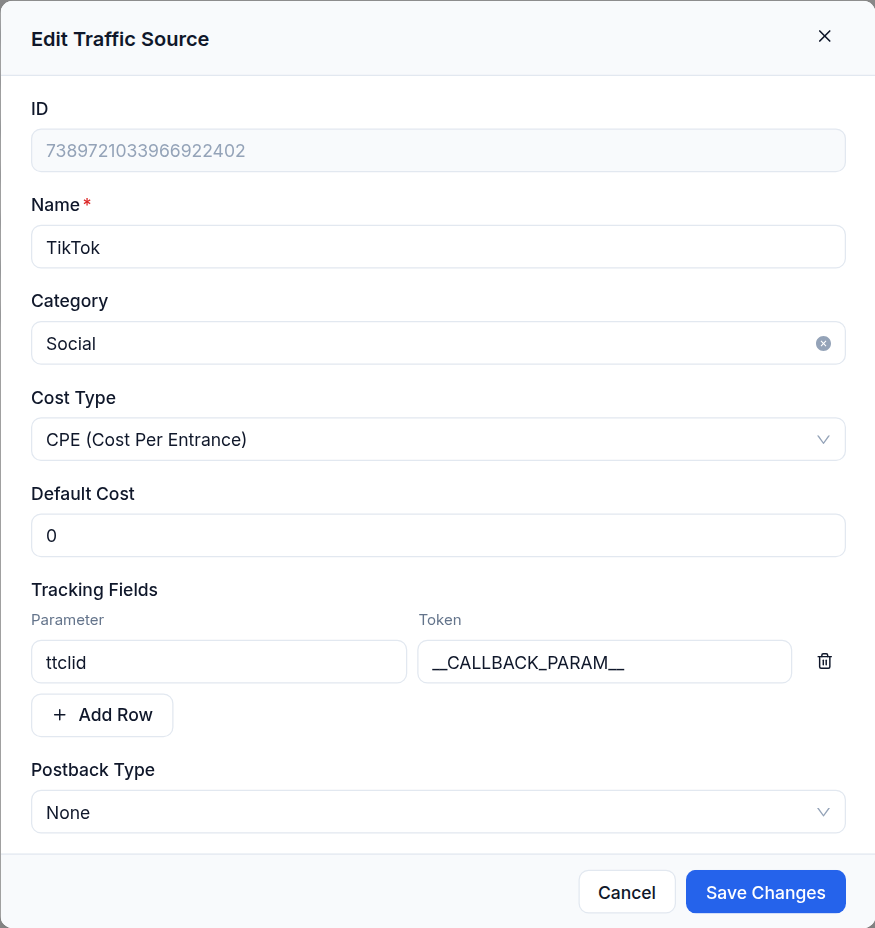
In the conversion tracking part, choose Postback URL.
The postback URL is long, so copy the content below to a text editor where you can edit it carefully:
https://functions.funnelflux.pro/tiktok-s2s-api?vid={flux_hid}&ttclid={trackingfield-ttclid}¤cy=USD&revenue={flux_payout}&ip={connection-ip}&user_agent={connection-useragent}&page_url={page-url}&access_token=YOUR_ACCESS_TOKEN&pixel_id=PIXEL_ID&event_name=EVENT_NAMEThen:
- Replace
YOUR_ACCESS_TOKENwith your access token. - Replace
PIXEL_IDwith your pixel ID. - Replace
EVENT_NAMEwith a valid event name (see below). - Collapse it into a single line by removing the line breaks, then paste it into the postback URL box.
Note: make sure you remove the line breaks. If you paste it as is, it may look correct in the FunnelFlux UI, but the URL will contain extra characters that break it.
Event names
Section titled “Event names”Use one of TikTok’s standard events. TikTok lists them in About standard events.
These were available at the time of writing:
ViewContentClickButtonSearchAddToWishlistAddToCartInitiateCheckoutAddPaymentInfoCompletePaymentPlaceOrderContactDownloadSubmitFormCompleteRegistrationSubscribeThe integration passes the revenue value from your conversion and a currency value of USD.