

Facebook ISP Redirection with a PHP Node
Use a PHP node to redirect traffic from Facebook’s automated review systems.
This is not cloaking, and it is not a way around compliance rules. It keeps automated checkers off affiliate links you do not control. Those links can geo-redirect to a page you did not intend. Facebook can then treat the ad as something you are not running, such as a sweepstakes offer.
You can change the same code to redirect other ISPs you have flagged, or to filter on referrers, device models, and similar values.
Step 1: Create your funnel and add a PHP node at the decision point
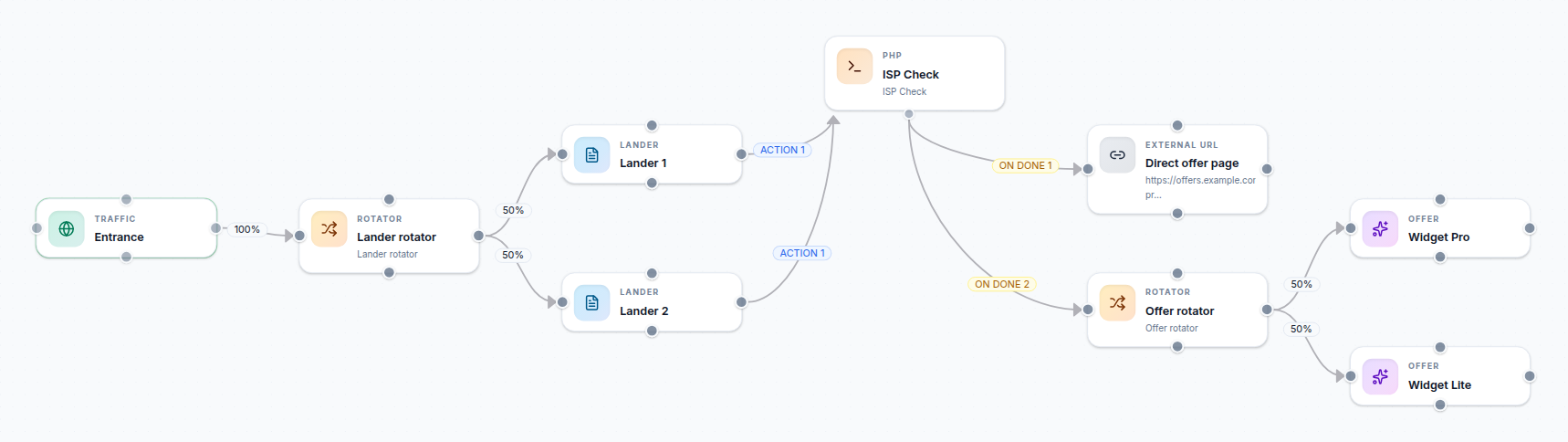
Section titled “Step 1: Create your funnel and add a PHP node at the decision point”Put the PHP node where the decision happens, such as after the lander rotator or straight after the Entrance node. Right-click each connection leaving the PHP node and set its On Done #:
- On Done 1 goes to the path for matching (flagged) ISPs.
- On Done 2 goes to the path for other visitors.
On the side path for visitors that match the ISP filter:
- Still send them to a lander you use in the live campaign. They should see the same destination as other visitors, so the path is not misleading.
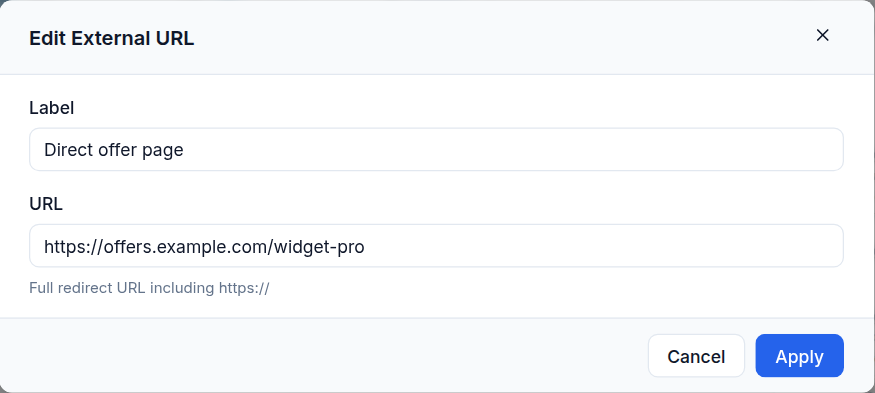
- On click-through, link that lander to the direct offer page URL with an external URL node. That guarantees they see the intended destination, not an affiliate link that could send them somewhere else. You do not control where a third-party affiliate link sends people, and that destination can change without notice.
Step 2: Set the PHP node filter
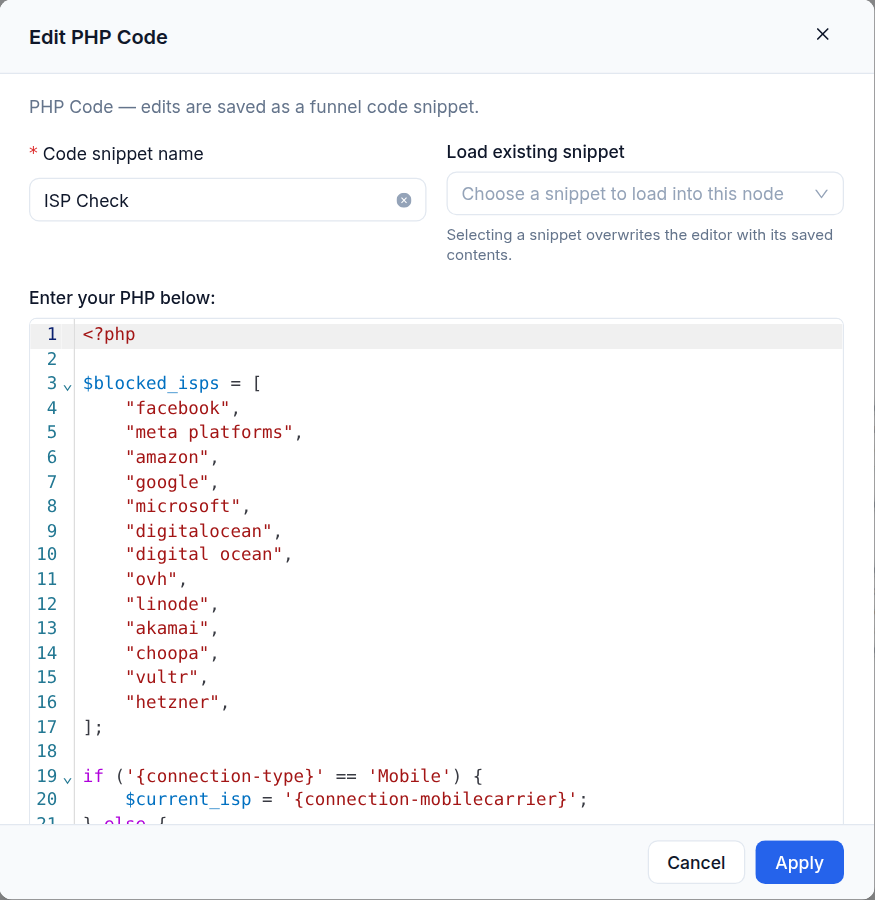
Section titled “Step 2: Set the PHP node filter”This code sends visitors whose ISP matches the list down On Done 1. Everyone else goes down On Done 2.
<?php
$blocked_isps = [    "facebook",    "meta platforms",    "amazon",    "google",    "microsoft",    "digitalocean",    "digital ocean",    "ovh",    "linode",    "akamai",    "choopa",    "vultr",    "hetzner",];
if ('{connection-type}' == 'Mobile') {    $current_isp = '{connection-mobilecarrier}';} else {    $current_isp = '{connection-isp}';}
foreach ($blocked_isps as $isp) {    if (stripos($current_isp, $isp) !== false) {        return 1;    }}
return 2;
?>
What the code does
Section titled “What the code does”$blocked_ispsholds ISP name fragments. One ISP can appear in several forms, such as Amazon, Amazon Inc. and Amazon Technologies Inc., so a short fragment matches them all.- It checks the connection type. On mobile it reads the carrier, otherwise the ISP. In FunnelFlux, carrier and ISP are separate attributes.
- If the ISP contains any fragment in the list, the code returns 1 and the visitor takes the On Done 1 path. Otherwise it returns 2.
The list is an example of data-centre and platform networks. Build your own from the ISP values you see in your reports, and keep it up to date.
The same pattern can check other values, such as operating system or device type.
Filtering on user agent
Section titled “Filtering on user agent”This variant sends visitors whose user agent contains a listed fragment down On Done 1.
Meta’s crawlers identify themselves with user agents containing facebookexternalhit and meta-externalagent, as listed in Meta’s crawler documentation.
<?php
$blocked_ua = [    "facebookexternalhit",    "meta-externalagent",];
$current_ua = $_SERVER['HTTP_USER_AGENT'] ?? '';
foreach ($blocked_ua as $ua) {    if (stripos($current_ua, $ua) !== false) {        return 1;    }}
return 2;
?>
The code reads the user agent from the request instead of the {connection-useragent} token.
FunnelFlux pastes token values into the code as text, and a user agent can contain quote characters that would break it.