

What are Stored Links?
Stored Links work like a URL shortener. They turn a long link into a short one.
Use a stored link to create a short link for any of your funnel entrance URLs, or for any other URL.
Create a stored link
Section titled “Create a stored link”- In the Dashboard, open Links > Stored Links.
- Click Add Link.
- In Name, enter the name of the link.
- In URL, enter the destination. For a funnel, paste the entrance link you copy from Send Traffic Here in the funnel editor.
- Click Create Link.
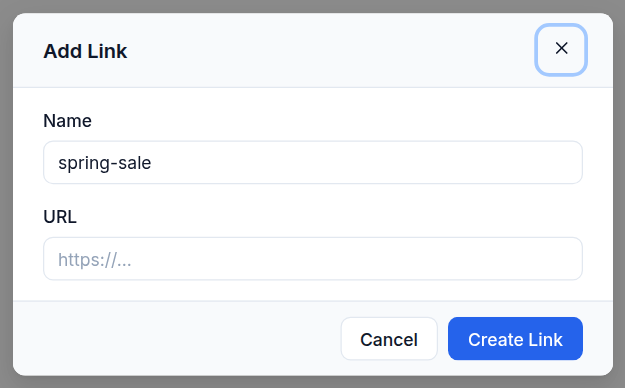
The name becomes part of the short URL, so use a short word without spaces, joined with hyphens or underscores.
Use spring-sale or my_link_name, not My Link Name.
If you name it sweepstakes, the short link is:
https://tracking-domain.com/?flux_sl=sweepstakesWhen to use stored links
Section titled “When to use stored links”Use stored links for short links on social media or other pages, or in an email or forum signature. Use them anywhere you want a short link, and the ability to change that link’s destination later.
The Stored Links page also has a Visits column, so you can see how many visits each link received.
Limitations of stored links
Section titled “Limitations of stored links”A stored link does not include appended parameters.
If the destination URL needs tokens, append them after the flux_sl parameter.
For example:
https://tracking-domain.com/?flux_sl=sweepstakes&data={token1}&data2={token2}Stored links are not often used as ad URLs.
Shortening only the flux_fts part does not help much if you still have to append other parameters after it.
Use them when you want a static short link that does not use dynamic insertion.