

Protecting your lander from direct traffic
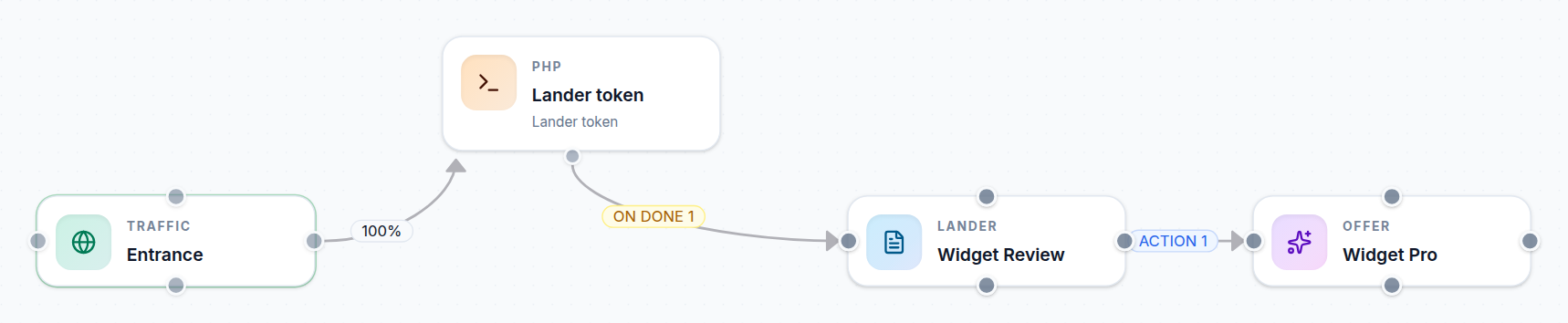
To stop visitors opening a lander directly, or skipping the intended flow, put a PHP node in the funnel before the lander. That node creates a signed token that expires. FunnelFlux passes the token to the lander in its URL. The lander checks the token and loads only when it is valid, so a direct visit to the lander URL is rejected.
Step 1: Create a secret
Section titled “Step 1: Create a secret”The PHP node and the lander share a secret key. Generate a long random one, for example on your server:
openssl rand -hex 32Keep the secret private. Anyone who knows it can create valid tokens.
Step 2: Add the custom tokens
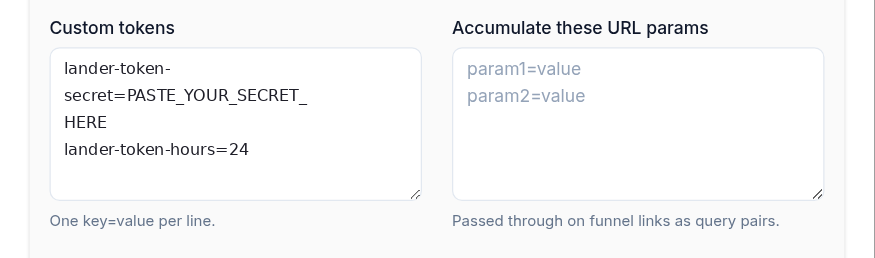
Section titled “Step 2: Add the custom tokens”Open the funnel settings, expand Advanced settings and add these lines under Custom tokens:
lander-token-secret=PASTE_YOUR_SECRET_HERElander-token-hours=24lander-token-hours sets how long a token stays valid.
Step 3: Add the PHP node
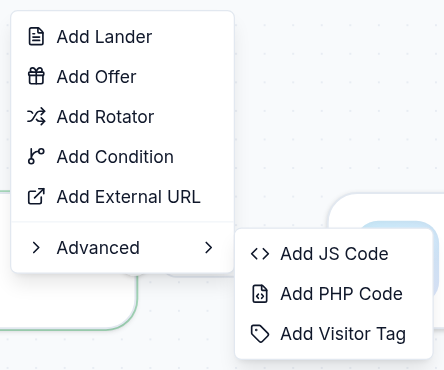
Section titled “Step 3: Add the PHP node”Add a PHP node before the lander and connect it to the lander.
Use this code in the PHP node:
<?php
require_once 'PHPNodeHelpers.php';
$secret = '[[lander-token-secret]]';$hours = '[[lander-token-hours]]';$hours = is_numeric($hours) ? (int) $hours : 24;
// Token: expiry time, funnel ID and a signature over both$payload = (time() + $hours * 3600) . '.' . '{funnel-id}';$signature = hash_hmac('sha256', $payload, $secret);
PHPNodeHelpers::accumulateParam('ff_token', $payload . '.' . $signature);
?>
The code adds ff_token to the Accumulated URL Params buffer and keeps the other values in it.
The signature ties the token to this funnel, so a token from another funnel is rejected.
Step 4: Pass the token to the lander
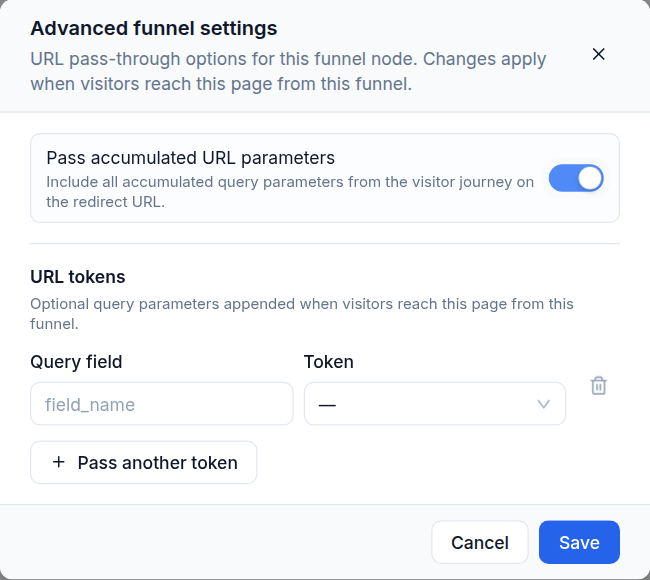
Section titled “Step 4: Pass the token to the lander”Right-click the lander node, choose Advanced Settings and turn on Pass accumulated URL parameters.
The lander URL then carries ff_token.
How accumulated URL parameters work.
Step 5: Check the token on the lander
Section titled “Step 5: Check the token on the lander”The lander must run PHP.
Place this at the very top of the lander file, before <!DOCTYPE html>:
<?php$secret = 'PASTE_YOUR_SECRET_HERE';$funnel_id = 'YOUR_FUNNEL_ID';
$valid = false;$parts = explode('.', $_GET['ff_token'] ?? '');
if (count($parts) === 3) {    [$expires, $token_funnel_id, $signature] = $parts;    $expected = hash_hmac('sha256', $expires . '.' . $token_funnel_id, $secret);
    $valid = hash_equals($expected, $signature)        && $token_funnel_id === $funnel_id        && ctype_digit($expires)        && (int) $expires >= time();}
if (!$valid) {    http_response_code(403);    exit('Invalid token');}?>
Set $secret to the same secret as the custom token, and $funnel_id to the ID shown in the Funnel ID field of the funnel settings.
To accept tokens from any funnel that uses the same secret, remove the && $token_funnel_id === $funnel_id line.
Limits
Section titled “Limits”Send visitors to the lander through your FunnelFlux entrance link. A direct visit to the lander URL has no valid token, so the lander rejects it.
A token stays valid until it expires.
Someone who copies a full lander URL, token included, can open it until then.
Use a shorter lander-token-hours if that matters.