

Split-testing options with FunnelFlux
How you split-test landing pages depends on the goal and on what the traffic source allows.
Normal redirect URLs
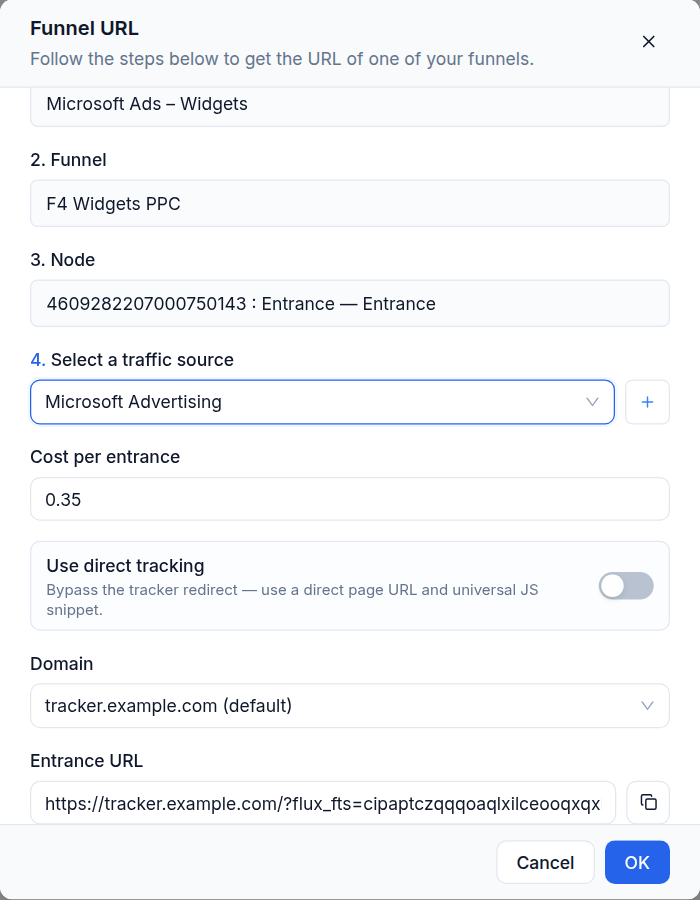
Section titled “Normal redirect URLs”If a redirect through a tracking link is acceptable, open Send Traffic Here on the traffic node and take the tracking URL from the Funnel URL window. Do not open it on a lander. A link generated on a lander sends traffic straight to that lander.
Most traffic sources accept this. Google Ads, Facebook, Microsoft Advertising, and some others inspect redirects. You may also need the address bar to stay on one URL.
Using Fluxify (reverse proxy)
Section titled “Using Fluxify (reverse proxy)”Fluxify (reverse proxy) is a redirect mode on lander and offer pages.
A tracking link normally redirects to the landing page URL. If that landing page is in Fluxify mode, the page is served on the tracking URL itself.
The usual path:
Ad --> tracking URL --(redirect)--> landing page URLWith Fluxify:
Ad --> tracking URL (loads as a landing page)There is no redirect, so the tracking URL can be the final URL in Google Ads, and it avoids the cross-domain redirects that Facebook and similar platforms may reject.
Conditions, rotators, and the rest of the funnel still apply. Every lander in the rotation must be in Fluxify mode.
There is one exception.
If the landing page URL contains dynamic tokens, a redirect still happens, because that is the only way to write those values into the URL.
Passing something like ...&model={device-model}... to the landing page still redirects, even in Fluxify mode.
This funnel rotates three pages:
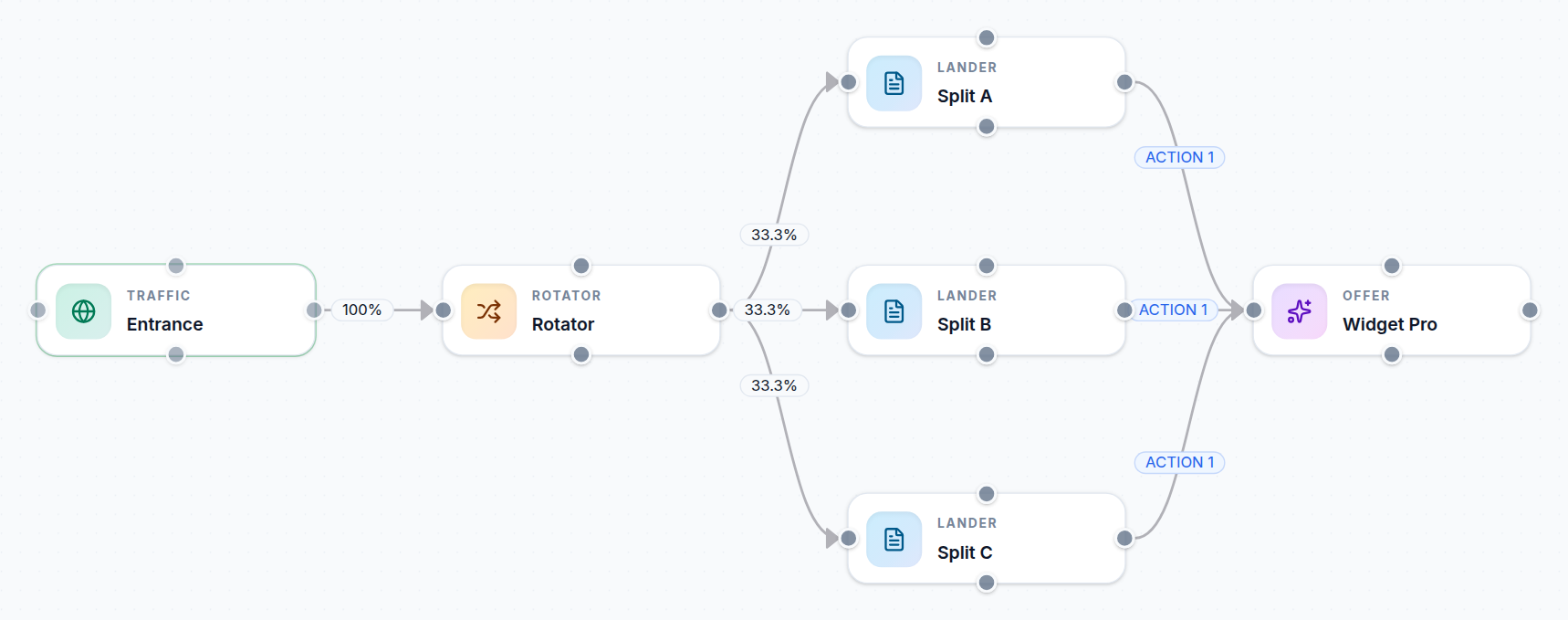
The canvas does not show redirect types or tracking links. Set Redirect Type to Fluxify in each lander’s form, then generate the tracking link for the Entrance traffic node. That rotates the pages without a redirect or a domain change.
An alias domain plus a stored link shortens that URL. You can pass extra parameters after the stored link name, as with any tracking link:
https://tracker.example.com/?flux_sl=split-test¶m1=a¶m2=b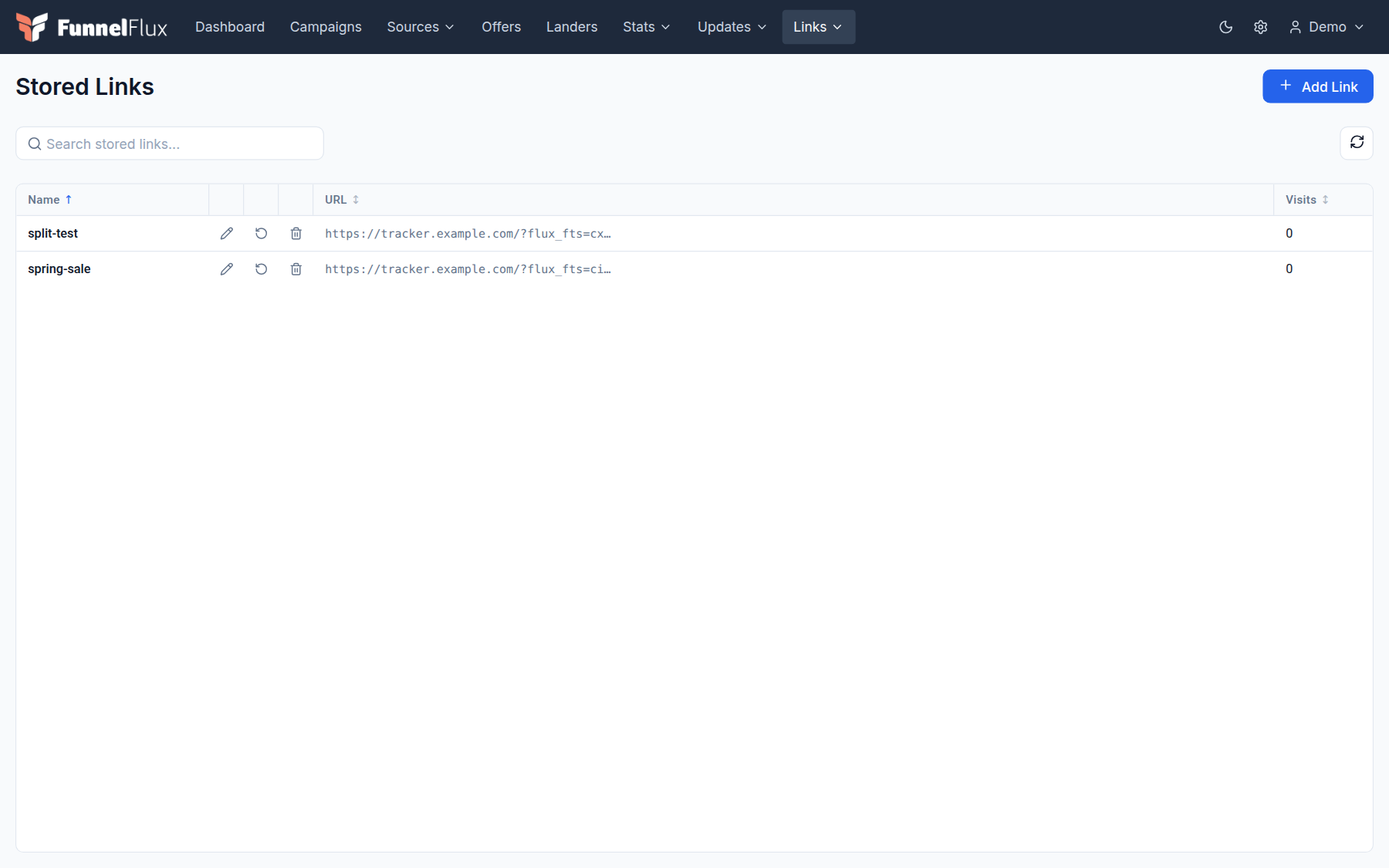
Same-domain redirects
Section titled “Same-domain redirects”Some platforms, including Google Ads, object to cross-domain redirects and allow a redirect that stays on the same base domain.
Use domain.com for the lander and sub.domain.com for the tracker.
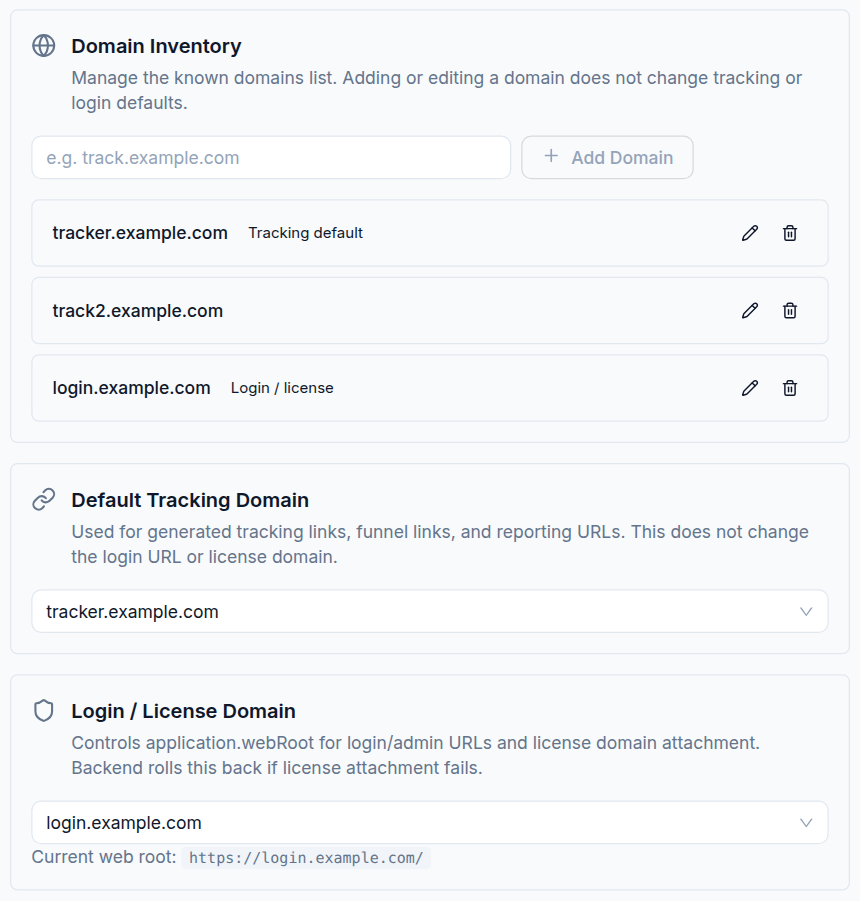
FunnelFlux can use an unlimited number of domains.
A pattern that works is a tracking host such as go.domain.com for each landing-page domain, added as a domain in System Settings.
Full-page iframe
Section titled “Full-page iframe”A full-page iframe keeps one URL in the address bar, and it can work around the Google Ads test function. It still redirects, the same way a normal tracking link does. A reviewer at the traffic source can see that redirect inside the frame.
Create a page, point the ad at that page, and put a full-page iframe on it whose src is the FunnelFlux tracking link:
<!DOCTYPE html PUBLIC "-//W3C//DTD XHTML 1.0 Transitional//EN" "http://www.w3.org/TR/xhtml1/DTD/xhtml1-transitional.dtd"><html xmlns="http://www.w3.org/1999/xhtml"><head><title>iFrame Test Page</title><style type="text/css">    body, html    {        margin: 0; padding: 0; height: 100%; overflow: hidden;    }
    #content    {        position:absolute; left: 0; right: 0; bottom: 0; top: 0px;    }</style></head><body><div id="content">    <iframe width="100%" height="100%" frameborder="0" src="https://tracker.com/?flux_fts=xxxxx"></iframe></div></body></html>
Pass data carefully.
Put the simplest tracking URL in the iframe src: the one that sends visitors to the destination, with no extra parameters.
Pass other traffic-source parameters on the lander URL itself. Put the FunnelFlux Universal tracking script on the landing pages the tracking link redirects to. The iframe redirect tracks the visitor and sends them to a lander. The JavaScript on that lander reads parameters from the parent URL.
If a condition in the funnel redirects based on tracking-field parameters, those parameters have to be on the iframe src before the frame loads.
That needs the next method.
Passing parent URL parameters into the iframe src
Section titled “Passing parent URL parameters into the iframe src”You cannot rewrite an iframe src after the frame has started loading.
Build the iframe with JavaScript so the parent URL’s query string is already on the src.
That matters when FunnelFlux must redirect on that data, for example a specific publisher ID.
<!DOCTYPE html PUBLIC "-//W3C//DTD XHTML 1.0 Transitional//EN" "http://www.w3.org/TR/xhtml1/DTD/xhtml1-transitional.dtd"><html xmlns="http://www.w3.org/1999/xhtml"><head><title>Your Page Title Here</title><style type="text/css">    body, html    {        margin: 0; padding: 0; height: 100%; overflow: hidden;    }
    #content    {        position:absolute; left: 0; right: 0; bottom: 0; top: 0px;    }</style></head><body><div id="content"></div>
<script type="text/javascript">    function prepareFrame() {        var src = "https://tracker-url-here";        var urlParams = window.location.search.substring(1);        if (urlParams) {            src += (src.indexOf("?") === -1 ? "?" : "&") + urlParams;        }        var ifrm = document.createElement("iframe");        ifrm.style.width = "100%";        ifrm.style.height = "100%";        ifrm.setAttribute("frameborder", "0");        ifrm.setAttribute("src", src);        document.getElementById('content').appendChild(ifrm);    }    prepareFrame();</script></body></html>
Test it before you rely on it.
Inspect the page, then load your URL with test parameters.
Those parameters should appear on the iframe src, and FunnelFlux should log them if the names match the traffic source.
Rotating landers with PHP
Section titled “Rotating landers with PHP”This rotates landing pages on your own server. The pages and the PHP have to be hosted where PHP can run.
- Put the landers in one folder, for example
/landers/some-folder/. - Keep the HTML files in that same directory, for example
lp1.html,lp2.html, and so on. - If assets collide, put them in separate folders such as
css-lpnameandimages-lpname, and point the HTML at those folders. - Create
index.phpin that directory, next to the HTML files. - In each landing page HTML file, insert the FunnelFlux tracking script for that lander in that funnel. Open Send Traffic Here on the lander node, turn on Use direct tracking, and copy the Universal tracking script from the Funnel URL window.
- In
index.php, rotate which file is included:
<?php$lander[0] = 'lp1.html';$lander[1] = 'lp2.html';$lander[2] = 'lp3.html';
$number = mt_rand(0, 2);
include("$lander[$number]");?>
Advantages
Section titled “Advantages”- The rotation is server-side. There is no redirect, so it is not visible as a redirect. A refresh can still show a different page. Add cookie or session code if the same visitor should keep seeing the same lander.
- It gets past most “no redirects allowed” rules.
Disadvantages
Section titled “Disadvantages”- It is more work to set up.
- The landing-page server must run PHP.
- To use the same landers in another funnel, duplicate them into another folder.
Treat this as a single-funnel method.
The
flux_fnor node ID in the included page’s JavaScript is what tells FunnelFlux which lander was hit. FunnelFlux cannot tell that from the URL, and you cannot pass URL parameters intoinclude(). - FunnelFlux normally uses the referrer to handle a repeat click on an action. That does not work well here. If the pages have several calls to action, use the JavaScript to inject hit IDs into the action links.