

Auto-Optimization Based on Offers' EPV
A PHP node can send more traffic toward the path that earns more per view (EPV).
For a funnel like this, the best path is the one with the highest revenue per view:
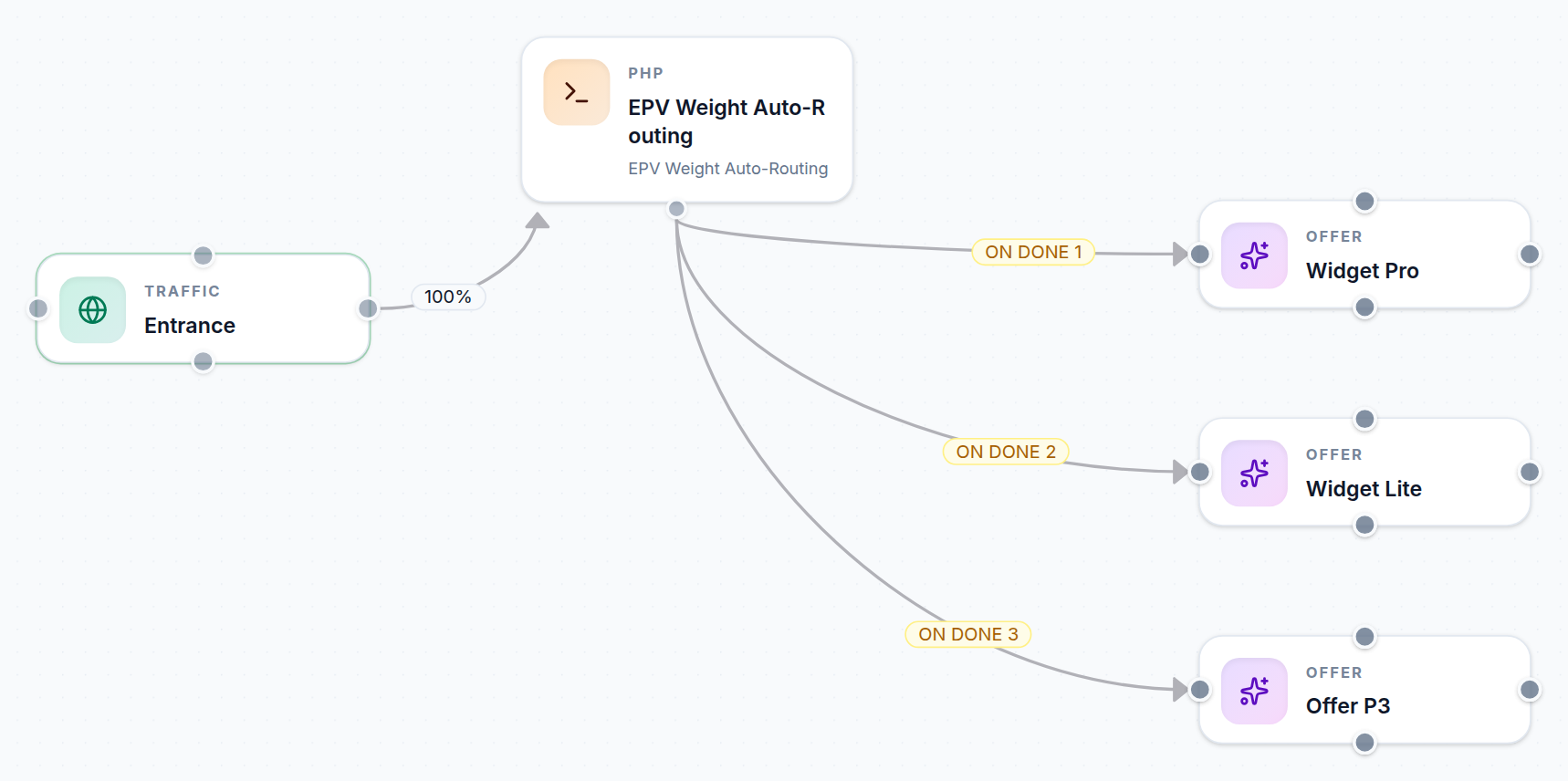
If offer 1 earns $0.37 per view and offer 3 earns $0.45 per view, offer 3 should get more of the traffic.
To see EPV on the funnel, open the funnel’s heatmap and choose Direct Value Heatmap: Sorted by earning per view.
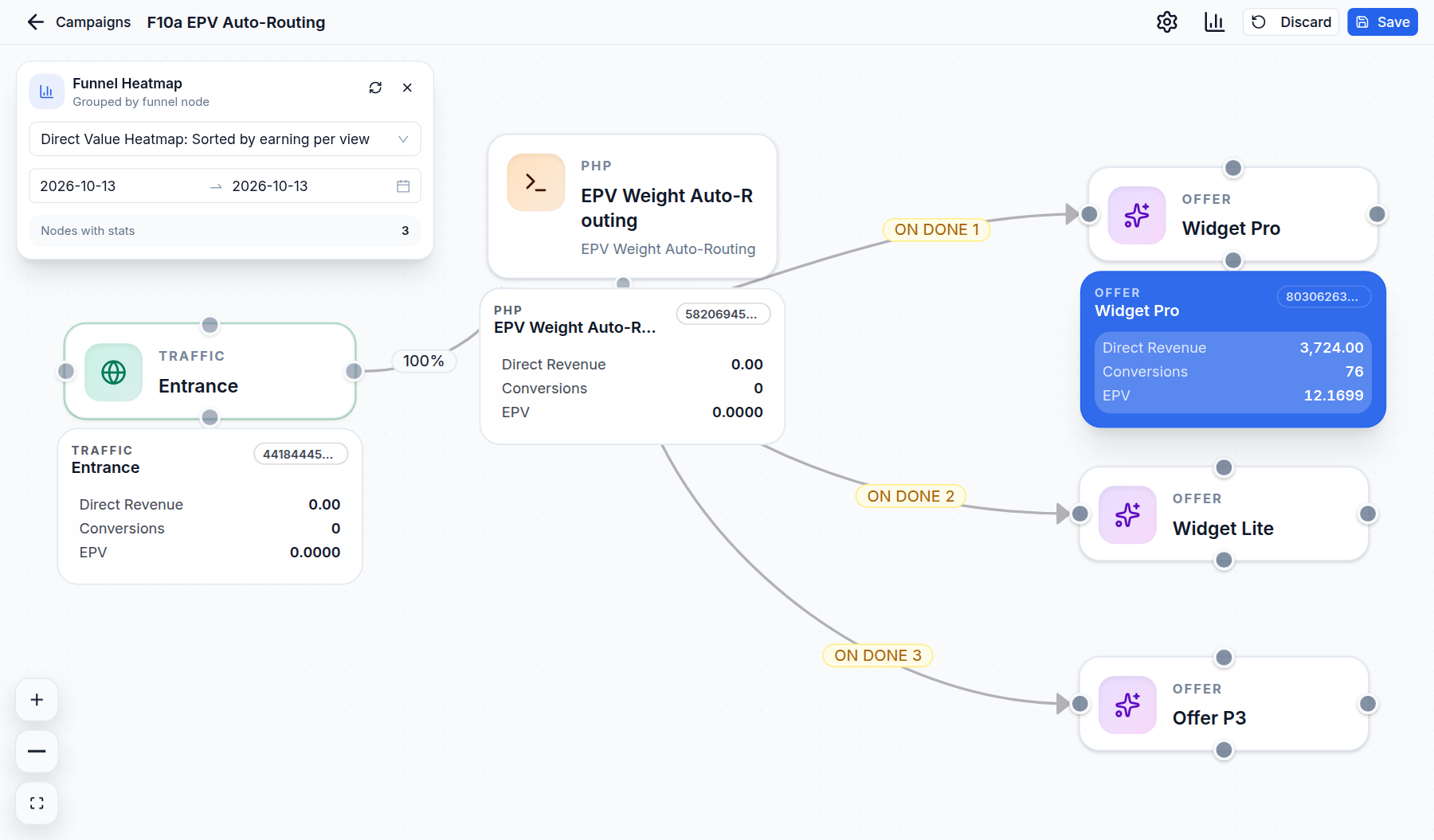
The PHP node below reads recent stats for the nodes it connects to and shifts traffic toward the stronger paths.
Step 1: Add the PHP node
Section titled “Step 1: Add the PHP node”Split the traffic with a PHP node instead of a rotator. Give it a clear name, such as “EPV Weight Auto-Routing”.
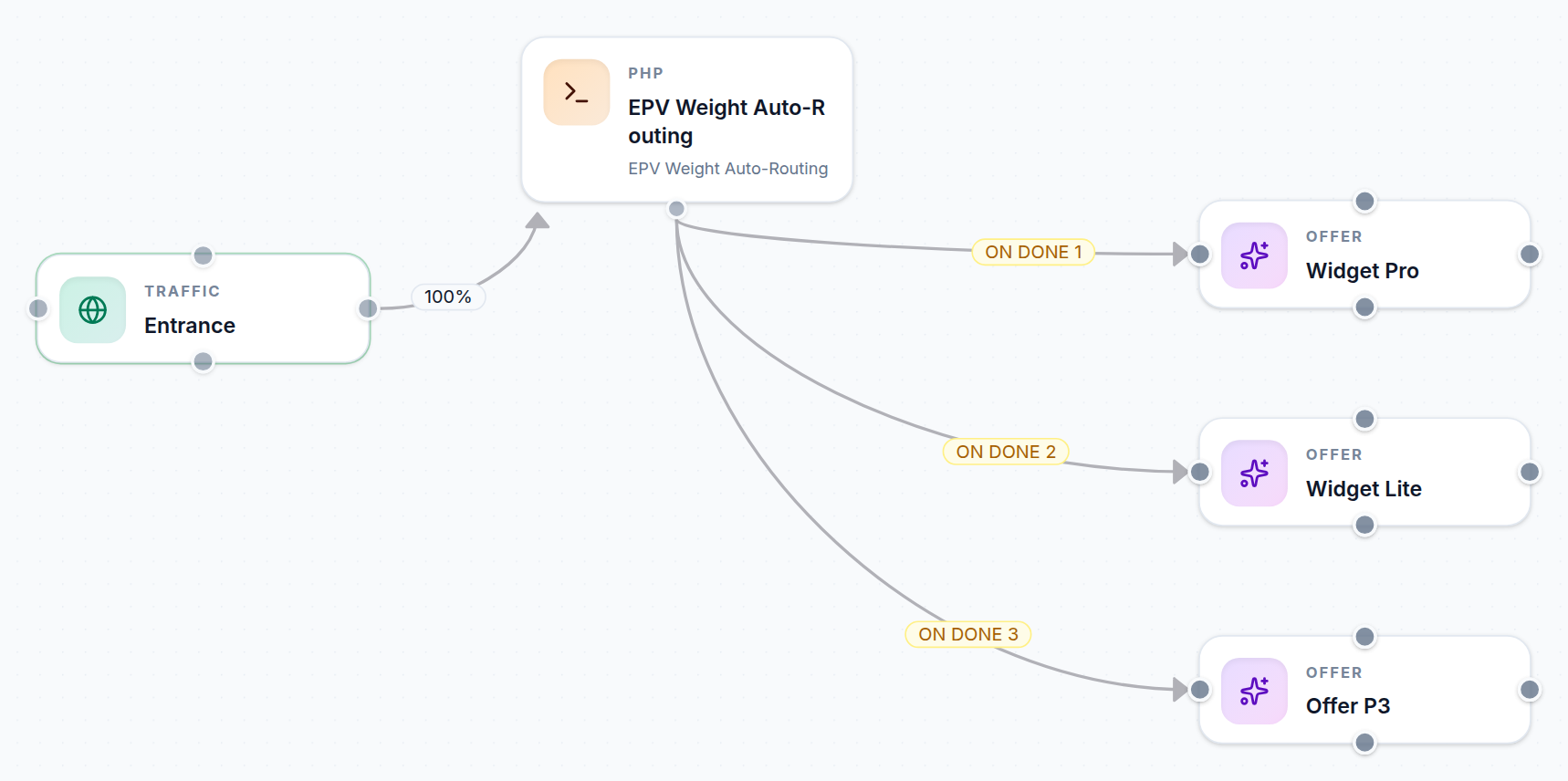
Connect it to the nodes you want to compare. Right-click each connection and set On Done # to 1, 2, 3 and so on, with no gaps.
Step 2: Add the code
Section titled “Step 2: Add the code”Double-click the PHP node and paste this code.
It is the Auto Optim template that ships with FunnelFlux.
The V2 code editor does not list the shipped templates, so paste the code below.
In the classic funnel editor at /admin/, you can also pick it from Copy From Template in the PHP code editor.
The code:
<?php
require_once __DIR__ . './../admin/api/v2/toolbox.php';
$cacheExpirationInMinutes = 5;$checkLastHours = '[[epv-auto-routing-lasthours]]';$checkLastHours = is_numeric($checkLastHours) ? $checkLastHours : 24;$minViewsCount = '[[epv-auto-routing-minviews]]';$minViewsCount = is_numeric($minViewsCount) ? $minViewsCount : 10;
$cacheKey = '{node-id}-{trafficsource-id}';$cache = Cache::getInstance(Cache::TYPE_FILE);$nodeWeights = $cache->get($cacheKey);if ($nodeWeights === Cache::NOT_FOUND) {    $nodeWeights = [];    $nodeConnections = DBTableCampaignFunnelConnections::getNodeExitConnections('{node-id}');    if (!empty($nodeConnections)) {        $nodeIds = [];        foreach ($nodeConnections as $connection) {            $targetNodeId = $connection->getTargetNodeId();            $nodeIds[] = $targetNodeId;            $nodeWeights[$targetNodeId] = -1;        }
        $to = time();        $from = $to - ($checkLastHours * 60 * 60);
        $to = (new DateTime())->setTimestamp($to);        $from = (new DateTime())->setTimestamp($from);
        $drilldownRequest = [            'timeRange' => [                'start' => [                    'date' => ['year' => $from->format('Y'), 'month' => $from->format('m'), 'day' => $from->format('d')],                    'time' => ['hour' => $from->format('H'), 'minutes' => $from->format('i')]                ],                'end' => [                    'date' => ['year' => $to->format('Y'), 'month' => $to->format('m'), 'day' => $to->format('d')],                    'time' => ['hour' => $to->format('H'), 'minutes' => $to->format('i')]                ],            ],            'timeZone'  => ['name' => 'UTC'],            'options'   => [                'idFunnelFilter' => '{funnel-id}',                'idTrafficSourceFilter' => '{trafficsource-id}',                'computeEPVConfidenceRate' => true,                'confidenceRateIncludeAll' => true            ],            'groupings' => [                ['groupBy' => 'Element: Node ID', 'whitelistFilters' => $nodeIds]            ]        ];
        $report = \FluxAPI\v2\Toolbox::statsDrilldownRequest($drilldownRequest);        $columns = $report['columns'];        $uniqueNodeViewsColumn = -1;        for ($i = count($drilldownRequest['groupings']); $i < count($columns); $i++) {            $column = $columns[$i];            if ($column['name'] == 'Unique Node Views') {                $uniqueNodeViewsColumn = $i;                break;            }        }
        $nodesInReport = 0;        foreach ($report['rows'] as $row) {            $uniqueNodeViews = $row['cells'][$uniqueNodeViewsColumn]['raw'];            if ($uniqueNodeViews < $minViewsCount) {                // one of the nodes doesn't have enough views...                // let's pick a random route until we get enough data...                return mt_rand(1, count($nodeConnections));            }            $nodeId = $row['cells'][0]['raw'];            $epvWinnerRate = $row['epvConfidenceRate']['rate'];            if ($epvWinnerRate != -1) {                $nodeWeights[$nodeId] = $epvWinnerRate;                $nodesInReport++;            }        }
        // If some nodes have no traffic yet, we need to re-scale the weights of the nodes that did get traffic        if ($nodesInReport < count($nodeIds)) {            $ratio = $nodesInReport / count($nodeIds);            $assignedWeight = 0;            foreach ($nodeWeights as $k => $w) {                if ($nodeWeights[$k] != -1) {                    $nodeWeights[$k] = $w * $ratio;                    $assignedWeight += $nodeWeights[$k];                }            }            $missingWeight = 1.0 - $assignedWeight;            $missingNodesCount = count($nodeIds) - $nodesInReport;            if ($missingNodesCount > 0) {                $missingWeightPerNode = $missingWeight / $missingNodesCount;                foreach ($nodeIds as $nodeId) {                    if ($nodeWeights[$nodeId] == -1) {                        $nodeWeights[$nodeId] = $missingWeightPerNode;                    }                }            }        }        $nodeWeights = array_values($nodeWeights);    }    $cache->set($cacheKey, $nodeWeights, $cacheExpirationInMinutes * 60);}
$choice = mt_rand() / mt_getrandmax();if (empty($nodeWeights)) {    $iRoute = -1;} else {    foreach ($nodeWeights as $iRoute => $weight) {        if ($choice < $weight) {            break;        }        $choice -= $weight;    }}
return ($iRoute + 1);
?>
How the code works
Section titled “How the code works”- It looks up the nodes connected to this PHP node.
- It runs a stats report for those nodes, filtered to this funnel and the visitor’s traffic source, over the last 24 hours by default (see Settings).
- If any connected node that appears in the report has fewer unique views than the minimum, it picks a route at random. This keeps sending traffic everywhere until each path has enough data.
- Otherwise it weights each route by the probability that the route has the best EPV. Nodes with no traffic yet share the remaining weight.
- It caches the weights for 5 minutes per node and traffic source, so the report does not run on every visit.
- It picks a route at random using those weights and returns its On Done number.
Any node type can follow this PHP node, not only offers.
Settings
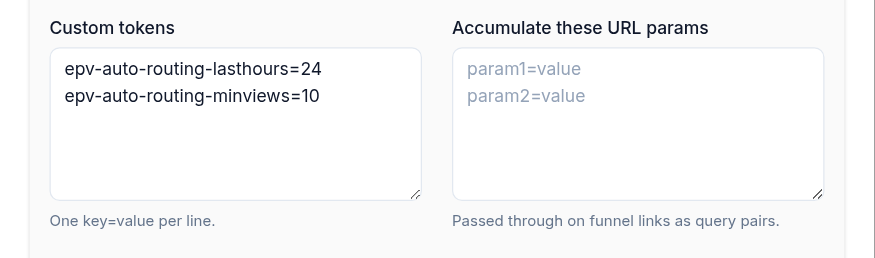
Section titled “Settings”The code reads two custom tokens. Add them in the funnel settings: expand Advanced settings and add one line each under Custom tokens.
epv-auto-routing-lasthours=24epv-auto-routing-minviews=10epv-auto-routing-lasthourssets how many hours of stats to use. Without it, the code uses 24.epv-auto-routing-minviewssets the unique views each node needs before weighting starts. Without it, the code uses 10.
The view floor stops one early conversion from taking almost all of the traffic while the other nodes never get enough visits to convert. Set a higher floor when the conversion rate is low. If offers convert at about 5% (1 in 20), 50 views on each node is a reasonable point to start judging them on EPV.
To change how often the weights are recalculated, change $cacheExpirationInMinutes.
The code uses the file cache (Cache::TYPE_FILE).
If your server runs memcached, you can change it to Cache::TYPE_MEMCACHED.