

Tracking a multi-product page flow
Multi-offer landing pages that link to five or more offers are common.
Those links often open an offer, or another pre-lander, in a new tab. The visitor is expected to return to the original page and click another call to action.
This is how to build that funnel, and what has to be true for the tracking to hold. The basic setup comes first. Optional hardening is at the end.
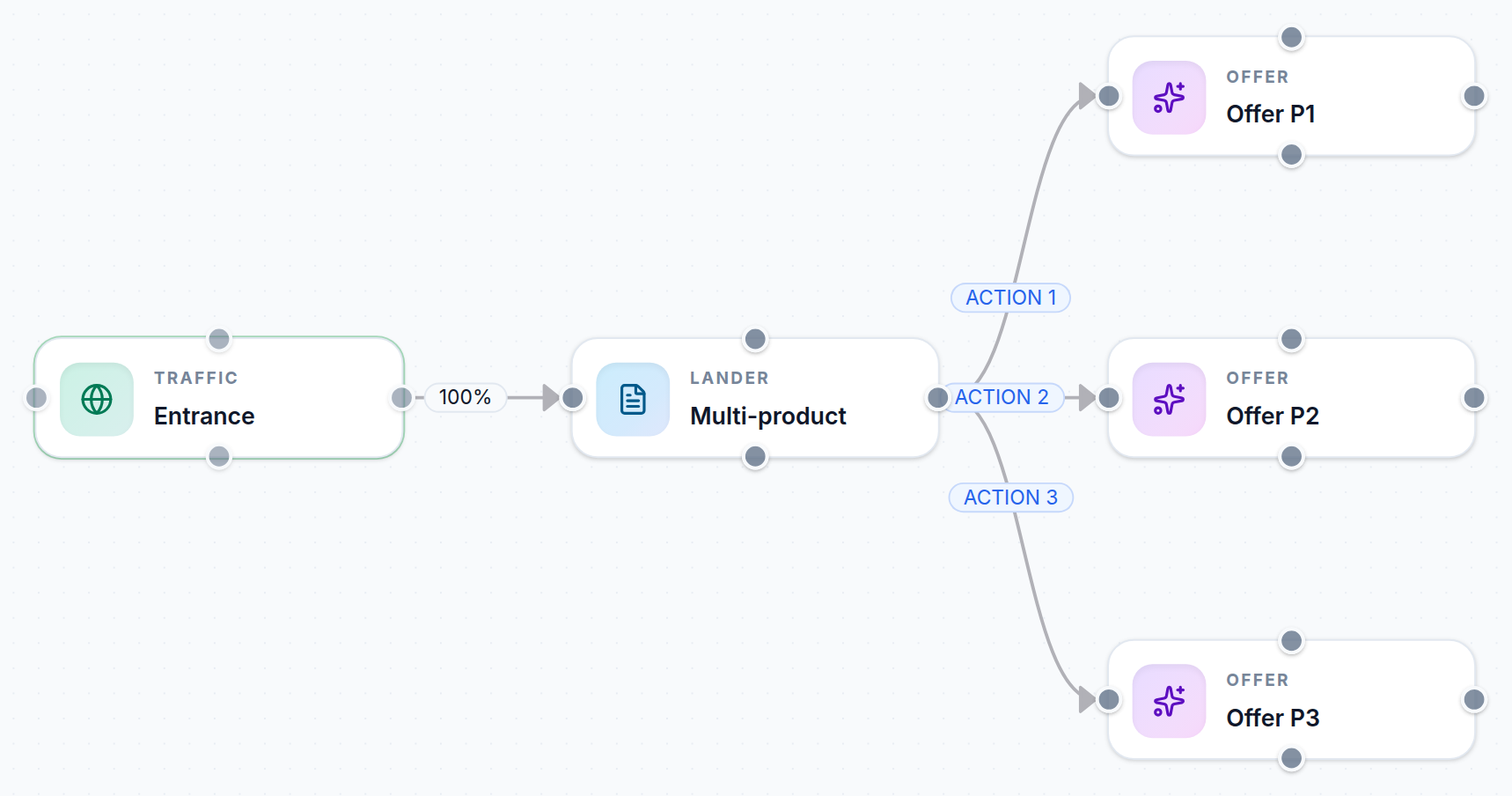
Define the landers and offers
Section titled “Define the landers and offers”Create every lander and offer in FunnelFlux before you build the funnel.
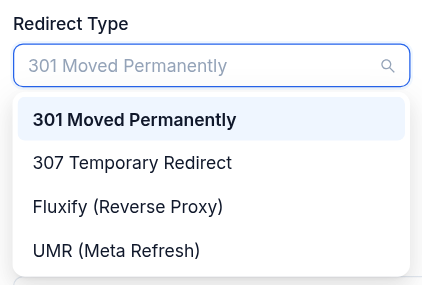
If you control the page, including the multi-product page and any pre-landers, set the redirect mode to 301 Moved Permanently or 307 Temporary Redirect. Do not use UMR (Meta Refresh) when the destination is a page you own.
Create the funnel
Section titled “Create the funnel”This example is one multi-product lander. Each product links to a pre-lander for that product, and that pre-lander links to a third-party offer.
traffic > lander > product pre-lander > offerBuild the funnel like this:
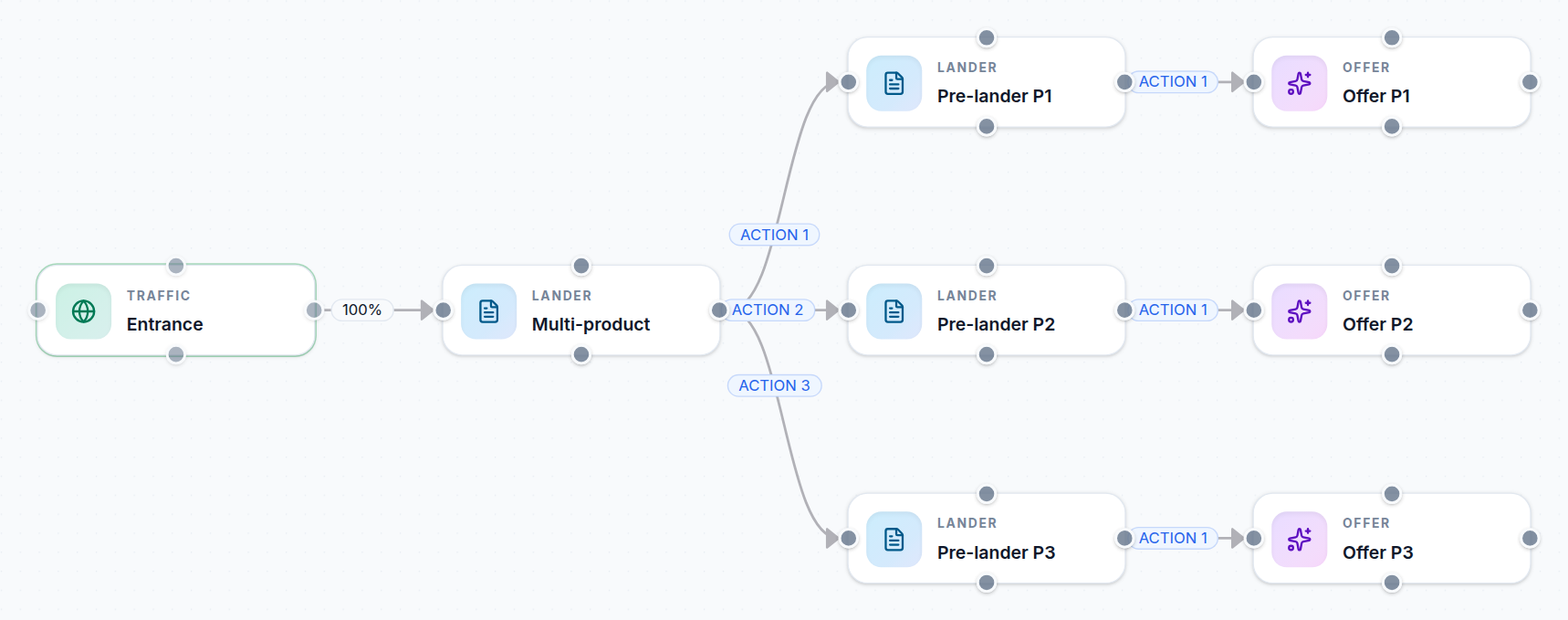
Use your own pre-lander and offer pages. The duplicates in the screenshot are only an example.
Save the funnel.
Place the FunnelFlux JavaScript on pages you control
Section titled “Place the FunnelFlux JavaScript on pages you control”In the funnel editor, open Send Traffic Here on the multi-product lander node. In the Funnel URL window, turn on Use direct tracking and copy the Universal tracking script:
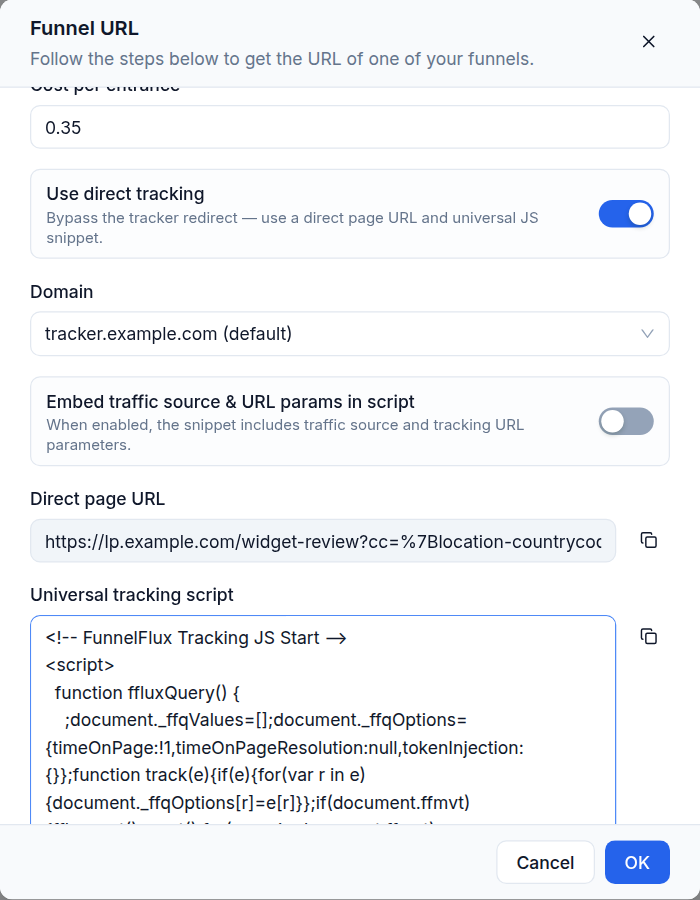
The screenshot shows this window for another lander; yours shows the multi-product lander’s URL.
Do the same for each pre-lander node, and put each script on its own page, ideally before </head>.
The script declares the funnel and the node. The tracker also reads the page URL to match the visit to a node. The lander URLs in FunnelFlux must match the URLs visitors actually load, especially the multi-product lander, which is usually the first page.
For example, each page carries its own node’s script in the <head>:
<head> <!-- other head tags --> <!-- Universal tracking script copied from this node's Funnel URL window --> <script>/* ... */</script></head>Update the call-to-action URLs
Section titled “Update the call-to-action URLs”Edit the multi-product lander so the calls to action use FunnelFlux action links.
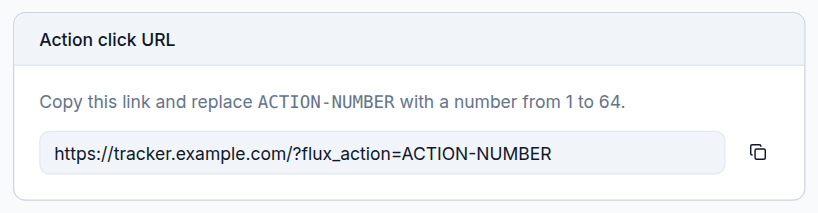
Copy the generic action URL from Links > System Links, in the Action click URL card, and replace ACTION-NUMBER with the action number:
https://domain.com/?flux_action=1Required practices
Section titled “Required practices”-
The tracking domain must support SSL, so
https://links work. Load the landers over HTTPS, and use HTTPS on every action link. You can turn on Force HTTPS in System Settings. Keeping the whole path on HTTPS avoids the referrer being stripped on an HTTPS to HTTP jump. -
Do not put
rel="noreferrer"on a FunnelFlux action link. It blanks the referrer, and tracking breaks.rel="noopener"is fine. -
Add a
flux_ctaclass when you update the call to action. The later step depends on it.A link like this:
<a class="blah" href="https://domain/something">Some text</a>becomes:
<a class="blah flux_cta" href="https://domain/?flux_action=1">Some text</a>target="_blank" is fine, as long as you do not block the referrer.
Update the action links on secondary landers too. The action numbers must match what the funnel editor shows.
Optional: inject the session ID into links
Section titled “Optional: inject the session ID into links”Visitors can leave a page, open another node, and come back to click a link on the earlier page. FunnelFlux has to recognise a click that comes from a node the visitor already left. Without a fallback, that click can 404.
The JavaScript can rewrite the action links so the click stays consistent, and so tracking still works if cookies are blocked.
That is why the links have class="flux_cta".
Find this block in the Universal tracking script:
fflux.track({ timeOnPage: false, timeOnPageResolution: 3000, noCookies: false, tokenInjection: { intoUrl: false, intoForms: { selector: null }, intoLinks: { selector: null }, tokens: {} }});Change it to:
fflux.track({ timeOnPage: false, timeOnPageResolution: 3000, noCookies: false, tokenInjection: { intoUrl: false, intoForms: { selector: null }, intoLinks: { selector: 'a.flux_cta' }, tokens: { flux_sess: '{session-id}' } }});Reload the page. View source still shows the original markup. Hover the link, or right-click and inspect it, and the href includes the session ID:
<a class="blah flux_cta" href="https://track.example.com/?flux_action=1&flux_sess=583495734589343034">Some text</a>The JavaScript wrote the visitor’s session ID into the link. On click, FunnelFlux uses that session ID and does not need the cookies. That matters for the Facebook mobile browser, and for some Safari cases, where third-party cookies are often blocked.
Optional: inject the hit ID instead
Section titled “Optional: inject the hit ID instead”You can inject the hit ID instead of the session ID. A hit ID is the ID of that visitor’s view of that page. It is the most reliable way to force the click to stay on the right node.
fflux.track({ timeOnPage: false, timeOnPageResolution: 3000, noCookies: false, tokenInjection: { intoUrl: false, intoForms: { selector: null }, intoLinks: { selector: 'a.flux_cta' }, tokens: { flux_hid: '{hit-id}' } }});Redirects can be slightly slower with hit IDs, because the tracker has to look the hit up in the database.
Be careful with that database lookup if you use a remote database, or a load-balanced setup with redirect servers in more than one place. In those setups, use the session ID instead.