

Setting up conversion tracking between an affiliate network and FunnelFlux
If you promote offers from affiliate networks, set up conversion tracking between the network and FunnelFlux.
This page covers the offer source fields in FunnelFlux, setup on Cake and TUNE (formerly HasOffers) networks, and the general principle that applies to any network.
Offer source fields
Section titled “Offer source fields”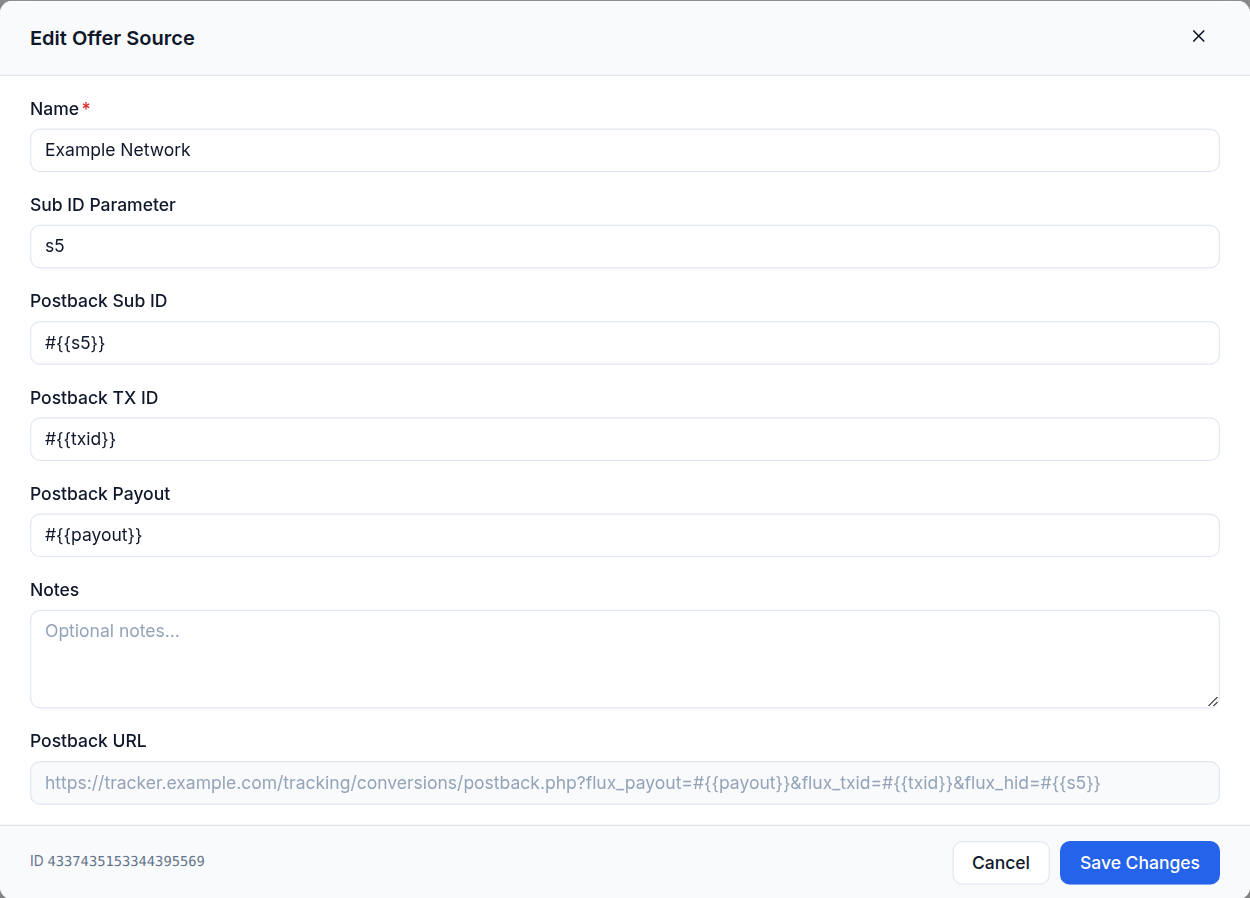
These fields build the postback URL for you, so you can copy it into the network. They do not hard-wire your tracking. Postback tracking always comes down to which parameter you pass data in, and which token passes it back.
- Sub ID Parameter: the parameter you send FunnelFlux’s unique hit ID in. Most networks have custom fields such as s1 to s5 or subid1 to subid5, or a dedicated field for unique IDs such as clickid.
- Postback Sub ID: the network’s token for that parameter.
For example, if you used
s2, the token might be#s2#. Token formats differ between networks, so check the network’s interface or documentation. - Postback TX ID: optional. The network’s transaction ID token. It lets FunnelFlux tell apart several conversions by the same visitor, for example a lead followed by a back-end sale.
- Postback Payout: the network’s payout token, for example
#price#or{payout}.
Postback URL shows the result.
Cake networks
Section titled “Cake networks”If your network is listed under Use template in the offer source window, pick it.
Many networks run on Cake, and its interface is easy to recognise:
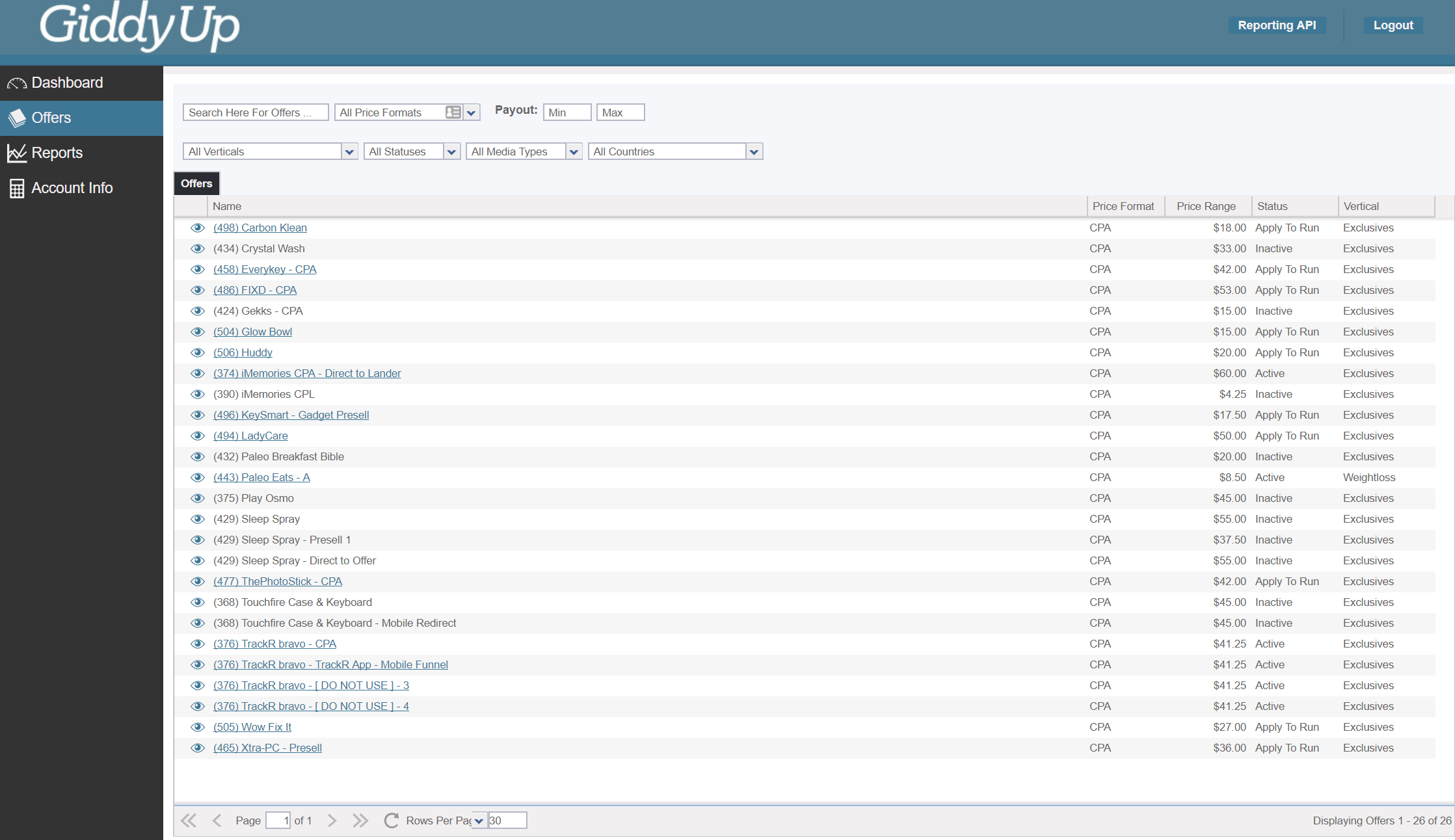
Cake lets you pass data in s1 to s5. Do not pass the hit ID in s1: it causes problems in Cake’s reporting. Use s2 or a later parameter.
If your offer source expects the hit ID in s2, add this to each offer URL:
&s2={hit-id}The postback URL then passes the value back with Cake’s #s2# token.
To use s5 instead, put &s5={hit-id} in the offer URL and use #s5# in the postback you set at the network.
The offer source is only a default.
You can pass {hit-id} in a different parameter for one offer, as long as that offer’s postback at the network uses the matching token.
In Cake, you set the postback URL on the offer page:
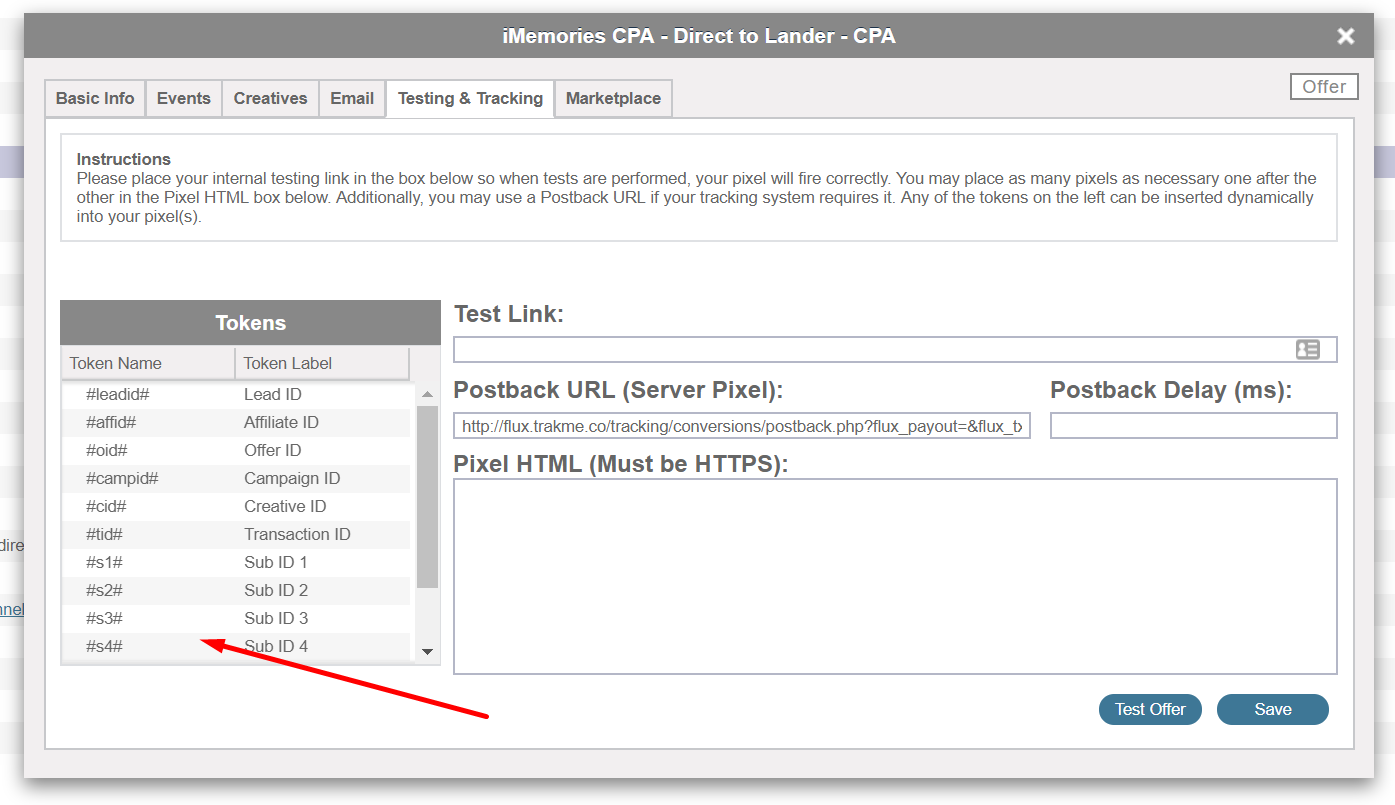
The list of tokens on the left is typical: most networks show their tokens next to the conversion tracking settings.
The pixel HTML box is for client-side tracking, covered below. Do not use server-side and client-side tracking for the same offer. The offer owner has to allow client-side (pixel) tracking, and many do not, so check with your affiliate manager.
TUNE (HasOffers) networks
Section titled “TUNE (HasOffers) networks”HasOffers is now called the TUNE Partner Marketing Platform. Networks on it still use the same tracking parameters. The screenshots below show the older HasOffers interface.
TUNE has five sub ID parameters, aff_sub to aff_sub5, each returned by the matching token {aff_sub} to {aff_sub5}.
Pass FunnelFlux’s {hit-id} in one of them; the last one, aff_sub5, is a good default.
When you view an offer, the network lets you generate a tracking link:
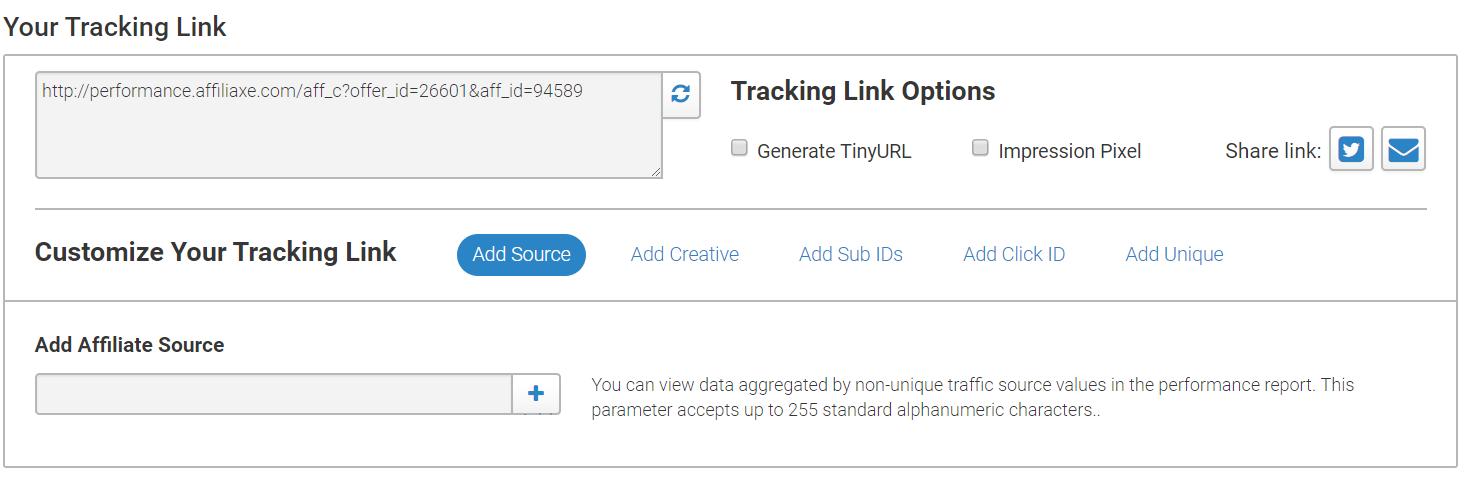
The add source, add creative and sub ID options only help you build the link and show the parameter format. They do not save anything that affects your tracking.
Here, sub IDs were added, REPLACE was entered in each, and FunnelFlux’s {hit-id} token was put in aff_sub5:
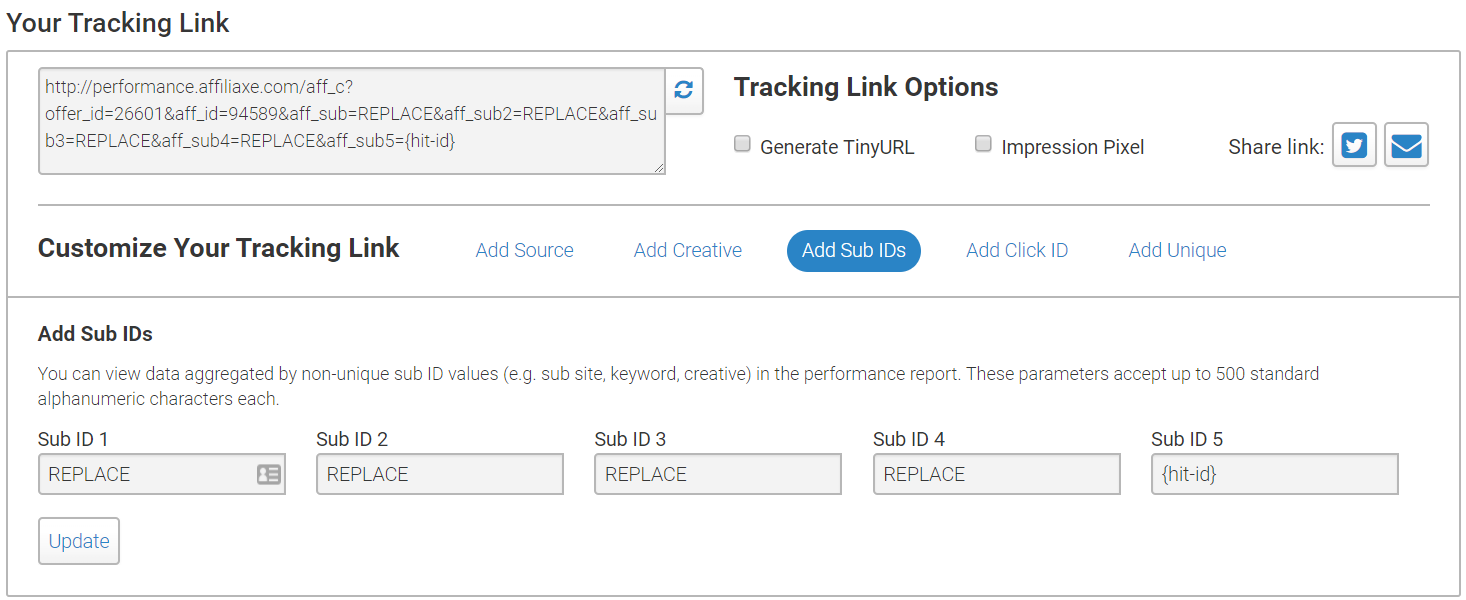
Copy this link into the offer URL in FunnelFlux and change the REPLACE parts to what you need, for example {campaign-id}.
To use aff_sub5 for all offers from this network, set it in the offer source.
To use it for this offer only, leave the offer source as it is and use the matching token in this offer’s postback at the network.
Further down the offer page is the conversion pixel and postback section:
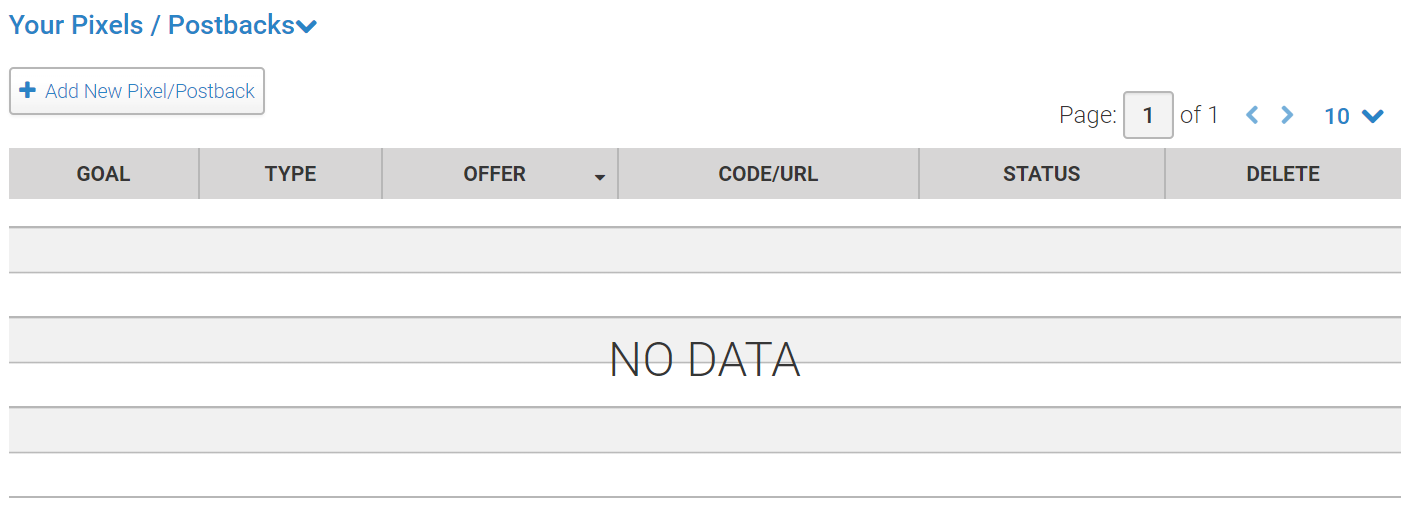
Click Add New Pixel/Postback and pick a tracking type the offer supports. The available tokens are listed on the right:
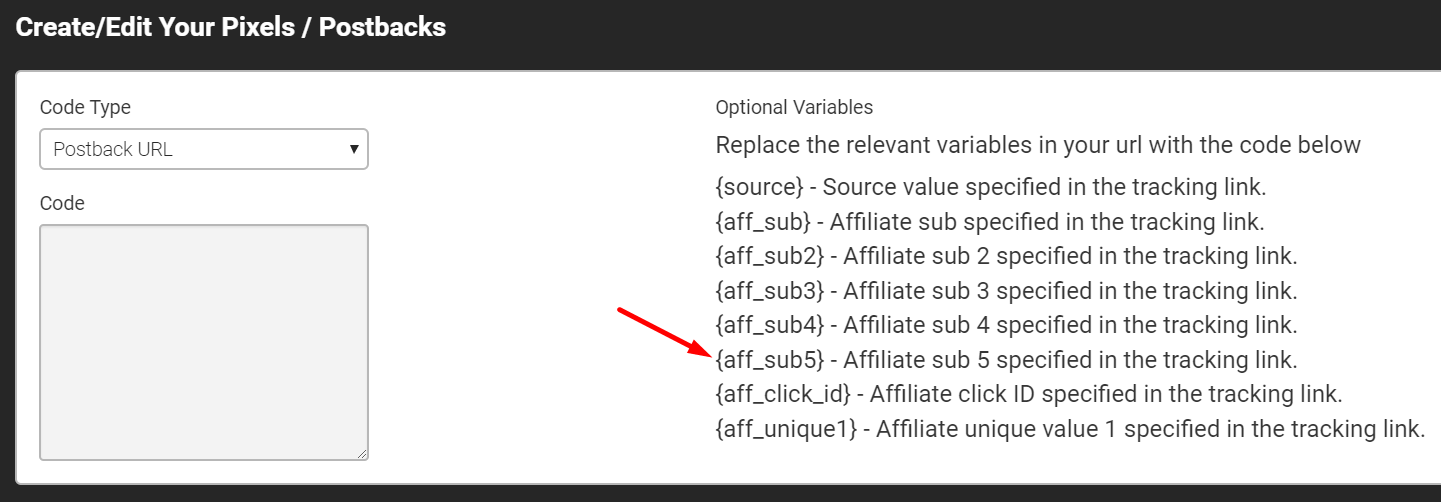
Paste your FunnelFlux postback URL, using the {aff_sub5} token because that is where the hit ID was passed:
http://myffdomain.com/tracking/conversions/postback.php?flux_payout={payout}&flux_txid={transaction_id}&flux_hid={aff_sub5}Then save.
Any other network
Section titled “Any other network”Postback tracking works the same way everywhere. You pass a unique ID, which FunnelFlux uses to identify a visitor, to another system. When a conversion happens, that system sends back the exact value the visitor arrived with.
So if an offer in FunnelFlux passes {hit-id} in a parameter called s5, set the network to post back whatever it stored in s5, using its token, for example #s5#.
If you passed it in aff_sub3, the token might be {aff_sub3}, and so on.
Keep in mind:
- Each system has its own tokens and decides how they are written.
- A system only understands its own tokens, so do not guess the token for a field such as “subid3”. Check the network’s documentation.
- FunnelFlux tokens such as
{campaign-id}and{hit-id}use curly brackets. You can use them in offer and lander URLs and in JS and PHP nodes. - In FunnelFlux’s traffic source and offer source settings you also enter tokens from other platforms. There they are placeholders in the URLs you copy into those platforms.
- Always test your tracking, and check that hit IDs reach your network (in its reports, if you can). Even if the postback URL is wrong, you can upload conversions later with Updates > Conversion Updates as long as the hit IDs were passed.

iFrame and image pixel tracking
Section titled “iFrame and image pixel tracking”Everything above is postback tracking, which is server-to-server. It is based on unique IDs and happens directly between systems, without depending on the visitor’s browser. That makes it reliable, and it is the most common method with affiliate networks.
Client-side methods are also common:
- JavaScript: FunnelFlux does not use JavaScript for conversion tracking, but platforms such as Facebook do. It runs in the visitor’s browser, so it depends on that browser running the code and, usually, on cookies.
- iFrames: load HTML, which can contain JavaScript. Use them to add other code to your thank-you page, for example a traffic source’s JavaScript conversion tag. The FunnelFlux iFrame uses cookies, but you can also put the hit ID in the frame URL.
- Image pixels: simpler than iFrames and less reliable. They rely on cookies, but you can put the hit ID in the image URL. They work like a client-side postback: one quick request that records a conversion.
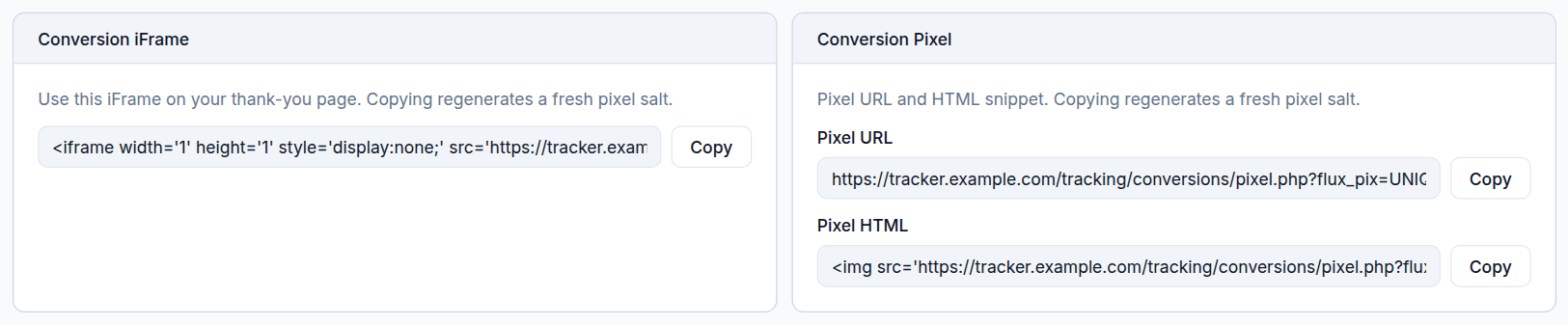
You can copy the iFrame and pixel codes from Links > System Links (Conversion iFrame and Conversion Pixel).
Using iFrames
Section titled “Using iFrames”You can place the FunnelFlux iFrame on thank-you or conversion pages that allow client-side tracking.
- Use a fresh iFrame code for every offer or page.
The code has a unique
flux_pixparameter that changes each time you copy it. - If you passed the hit ID to your network, put it in the
flux_hidparameter of the iFrame URL with the network’s token, if you can. - When the iFrame loads, FunnelFlux identifies the visitor’s traffic source through cookies or
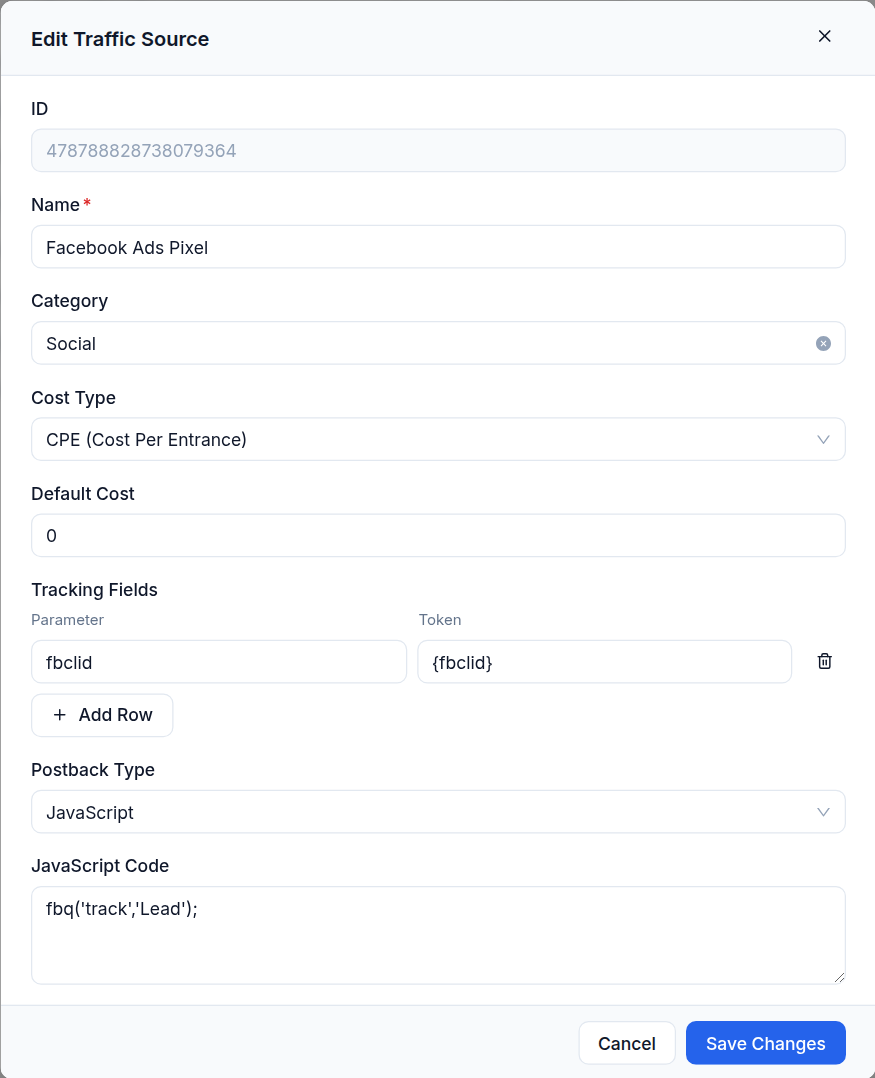
flux_hid. It then runs the conversion code set for that traffic source: set the traffic source’s Postback Type to JavaScript and enter the code.
Using image pixels
Section titled “Using image pixels”Image pixels also run client-side and rely on cookies.
You can add a hit ID to the flux_hid parameter of the image URL to record a specific conversion.
Use image pixels where you cannot add JavaScript or iFrames. They are especially useful in emails, where a pixel is still one of the main ways to detect an open.
You can also load an action URL as an image.
If you put an action URL in an image’s src, FunnelFlux records the action without the visitor going anywhere.
This lets you track actions on a page without complex code.