

Passing data from many different traffic sources to a single offer
The problem
Section titled “The problem”A funnel often receives traffic from several sources, and each source passes different URL parameters.
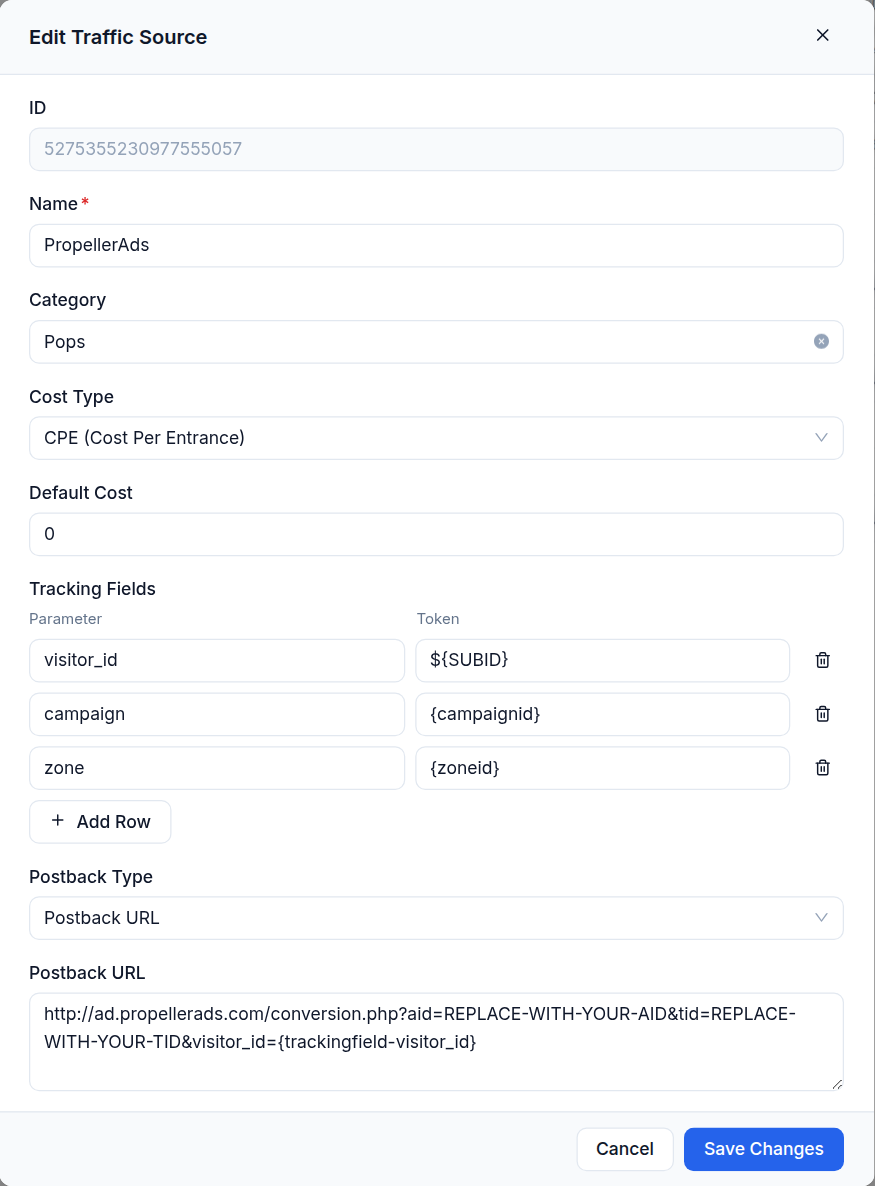
Compare tracking fields configured for PropellerAds and PopAds:
PropellerAds:
PopAds:
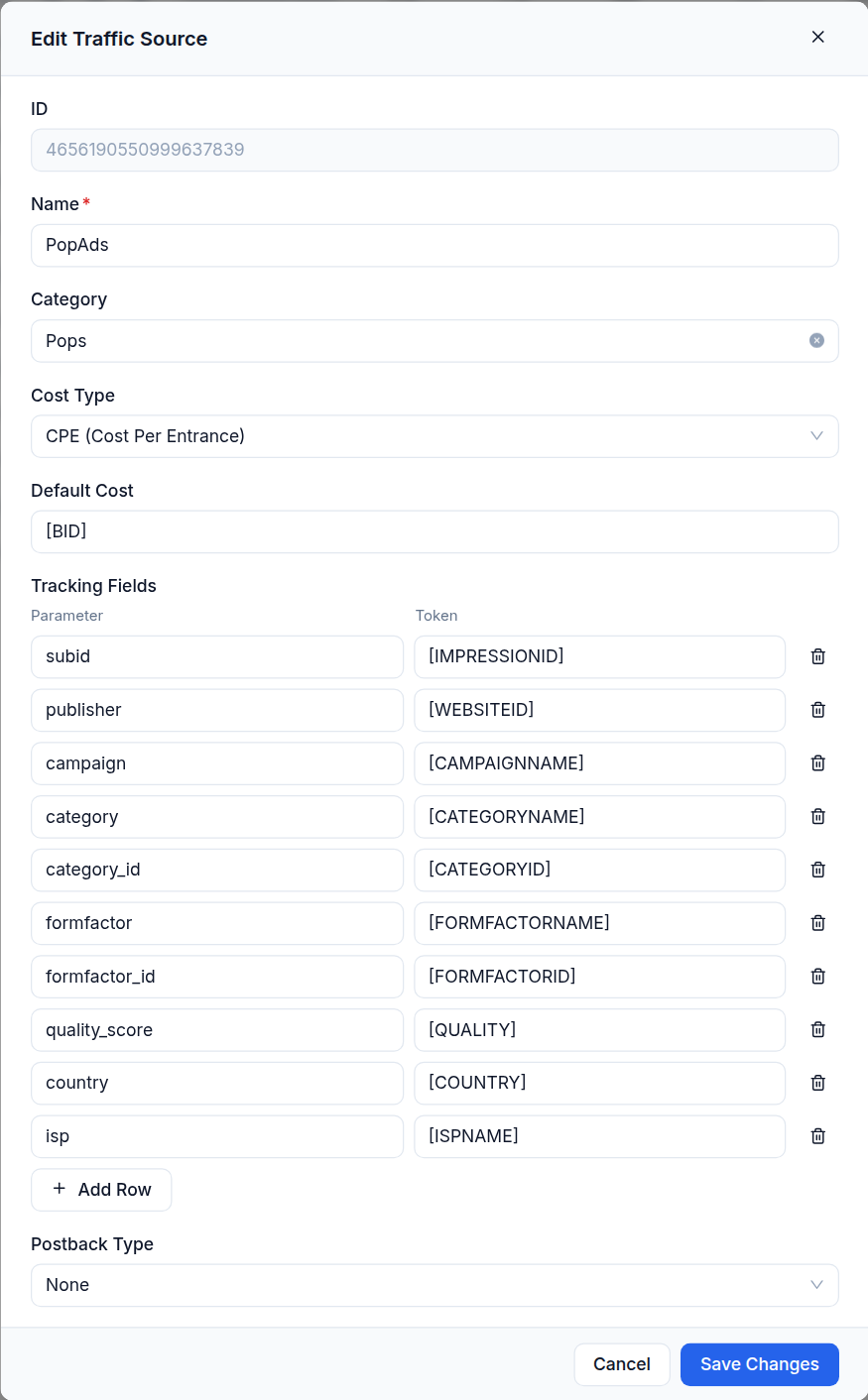
The fields are different.
Suppose you want to pass the ID of the site, publisher, zone, or whatever parameter names a specific ad spot, through to the offer, no matter which source sent the visit.
An offer URL token would normally do that.
PropellerAds would need {trackingfield-zone}.
PopAds would need {trackingfield-publisher}.
Without a shared field you would need one offer per traffic source, a separate funnel per traffic source, or you would stop passing the value.
Use a shared pass field
Section titled “Use a shared pass field”Create one tracking field whose job is to carry data through to the offer.
Call it pass.
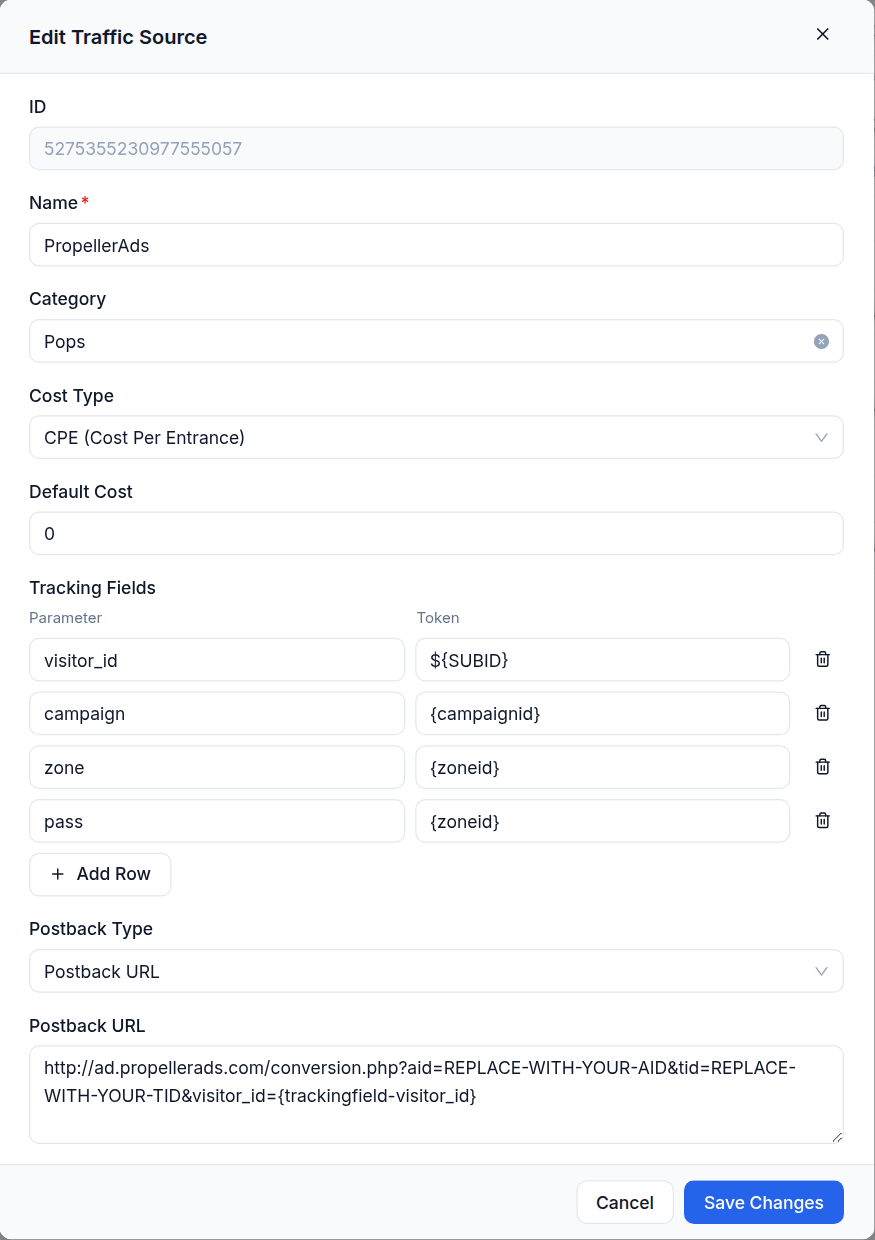
Add a pass row to the Tracking Fields of each traffic source.
In its Token column, put the source token whose value you want sent onward to the offer or affiliate network.
You can chain tokens in that one field so it carries more than one value. That is the better default.
PropellerAds:
PopAds:
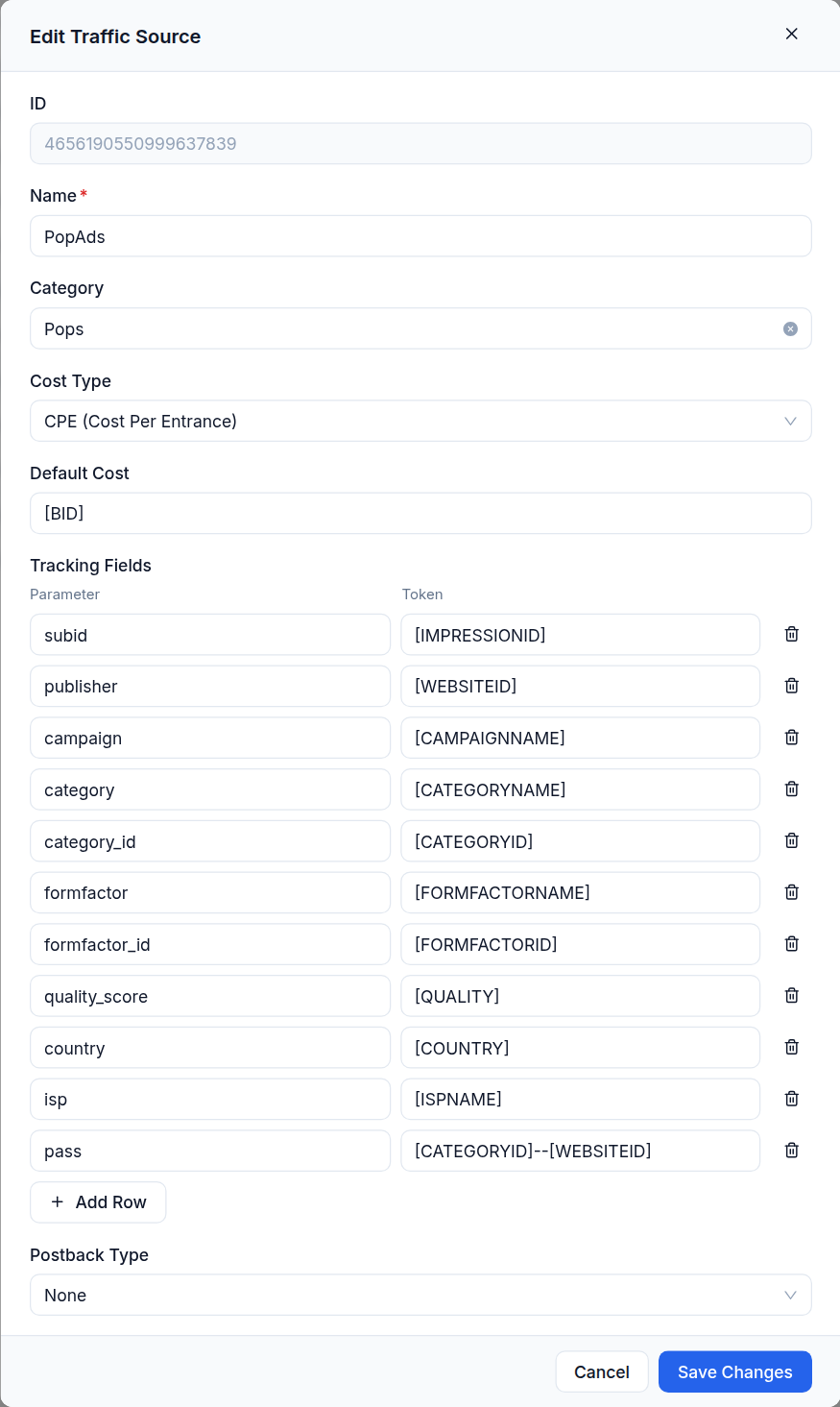
In the PopAds example, category ID and website ID are sent together, separated by --.
You can use any separator, or pass a single value.
That choice is yours.
On the offer URL, add {trackingfield-pass}.
On every traffic source and funnel link, send the value you want the offer to receive into pass.
- Leave
passblank on a source if you do not want to send anything onward from that source. - Put
{trackingfield-pass}in your offer URLs as a habit, so the field is always there to receive data. - Treat
passas an extra parameter. Do not move a value intopassand delete the original field. Passing the same value twice, for example underpublisherand underpass, does not matter. - In reports, you can ignore the
passURL tracking field. It is there to coordinate the handoff to the offer across traffic sources, not as an analysis dimension.