Why doesn't a "Lander" + "Offer" grouping show lander-to-offer pairs in the drilldowns?
In the drilldown reports, grouping by lander and then by offer does not give you lander-then-offer pairs. For that, use one of the Conversion Path groupings:
- Insight: Conversion Path (Landers and Offers)
- Insight: Conversion Path (All Nodes)
People coming from a tracker that only allows lander-then-offer funnels like this one often do not expect that:

On funnels like that, “Lander + Offer” means the best lander-then-offer pair. With several landers and offers, you might want to see which lander followed by which offer produces the most conversions and revenue.
In FunnelFlux, “Lander + Offer” does not mean that. An offer does not have to follow a lander.
Other trackers often cannot record a click from one lander to another lander, which you need for a multi-step presell. They also often cannot place redirect rules after a lander click.
This funnel is one those trackers cannot build or track:
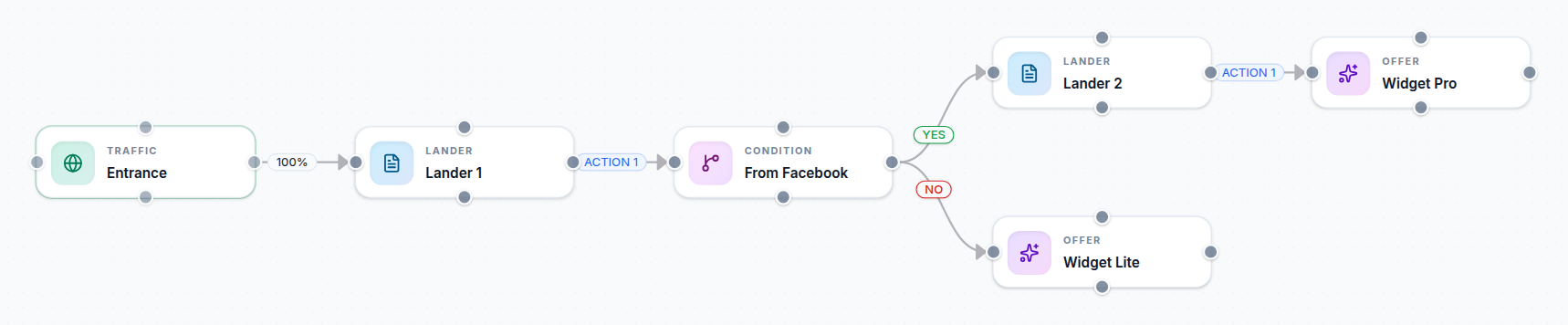
The funnel does this:
- Traffic goes to Lander 1.
- A click on Lander 1 goes to the From Facebook condition, not to an offer.
- If the visitor did not come from Facebook, they are redirected to the Widget Lite offer.
- If they did come from Facebook, they are redirected to Lander 2 for more preselling. A click on Lander 2 then sends them to the Widget Pro offer.
“Lander + Offer” is the wrong grouping here. After Lander 1 the next node is a condition, not an offer. After that condition the visitor may go to an offer or to another lander. You can build funnels more complex than this one.
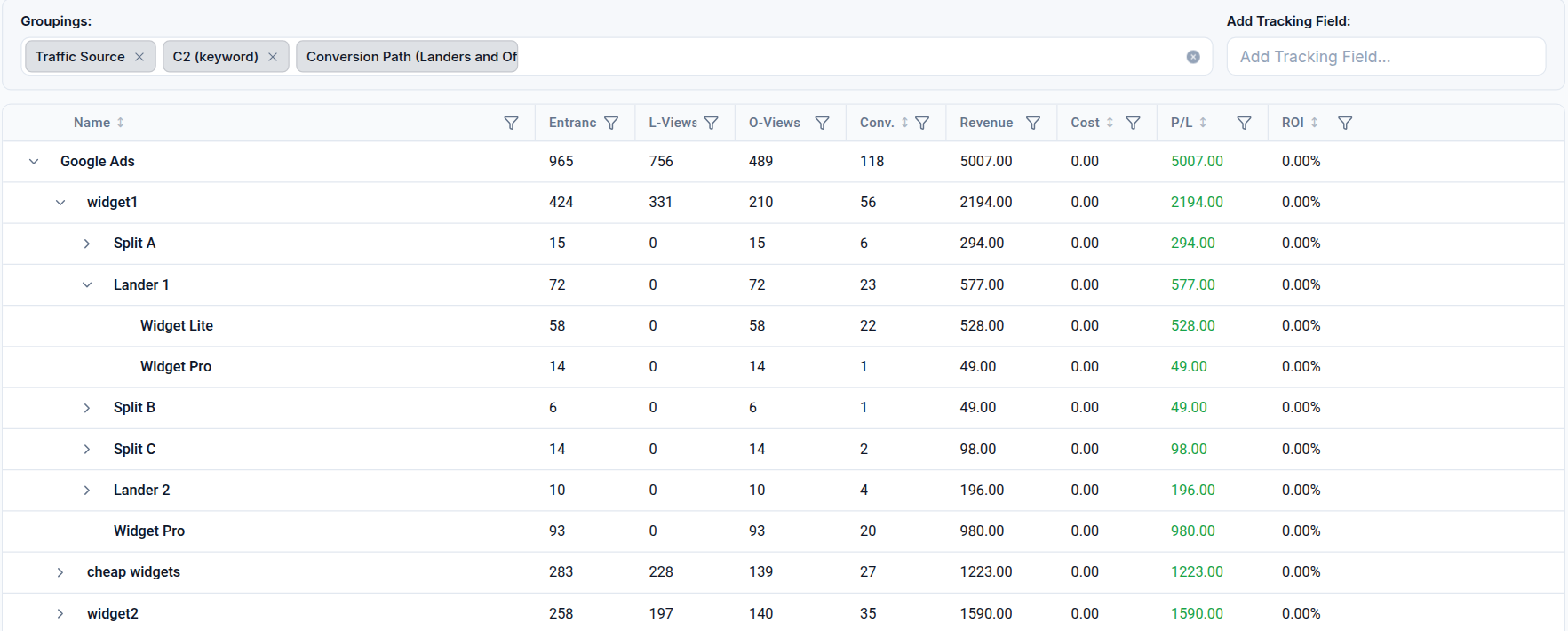
Use a Conversion Path grouping to find the most profitable path. It lists the full paths that lead to the most conversions and revenue, with each step of a path as a nested row. To split results by keyword or placement, add that tracking field as a grouping with the Add Tracking Field picker.
On Google Ads, for the keyword widget1, the Lander 1 to Widget Lite path brings the most conversions (22), while the direct Widget Pro path brings more revenue (980.00):
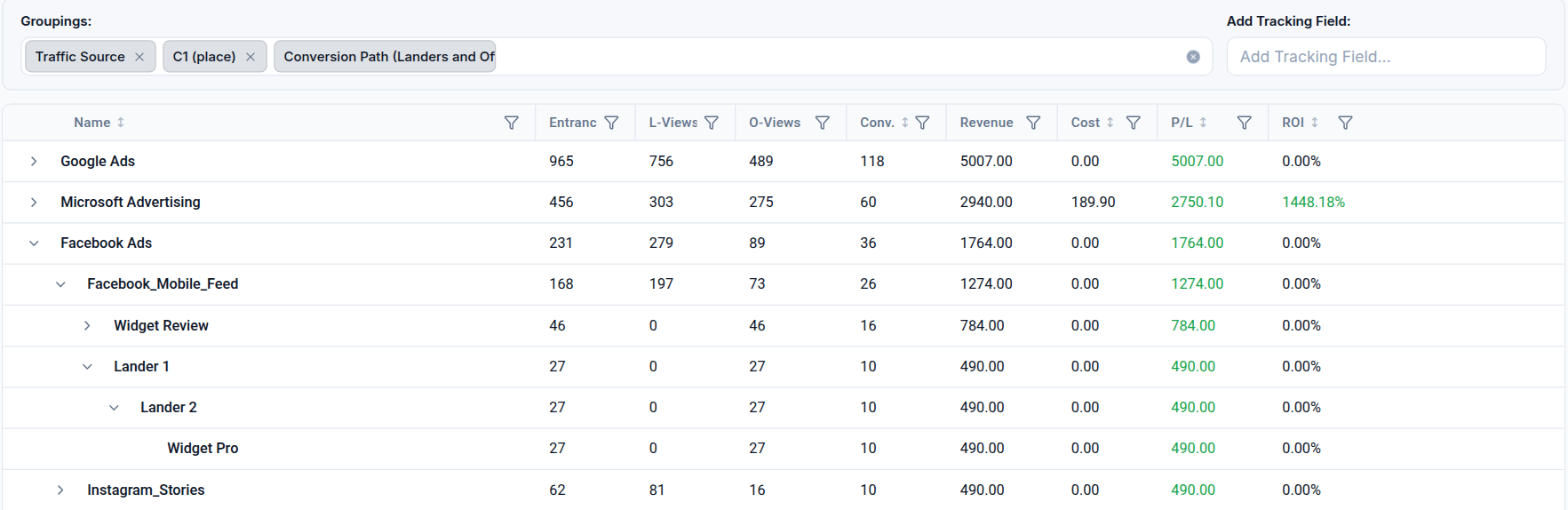
On Facebook, for the Facebook_Mobile_Feed placement (tracking field C1), the Lander 1, then Lander 2, then Widget Pro path brings 10 conversions, behind the paths that start with Widget Review (16):