

Redirect Types - 307, 301, Ultimate Meta Refresh and Fluxify
Every lander and offer has a Redirect Type. It controls how FunnelFlux sends the visitor to that page. There are four types. The lander and offer form lists them as 307 Temporary Redirect, 301 Moved Permanently, UMR (Meta Refresh) and Fluxify (Reverse Proxy). System Settings names the same types 307 Temporary Redirect, 301 Permanent Redirect, Ultimate Meta Refresh (UMR) and Fluxify (reverse proxy).
You set the type in the Redirect Type field of the lander or offer form.
The form starts new landers and offers on 307 Temporary Redirect.
System Settings also stores an Offers Default Redirect and a Landers Default Redirect, which the classic interface at /admin/ and the data API use for new pages.
307 Temporary Redirect
Section titled “307 Temporary Redirect”A 307 tells the browser the move is temporary, so the browser asks FunnelFlux again on every click. That is what a tracker needs, so 307 is the right choice for most landers and offers.
301 Permanent Redirect
Section titled “301 Permanent Redirect”A 301 tells browsers and search engines the move is permanent. Browsers may cache it and skip FunnelFlux on later visits to the same link, and search engines treat the target as the page’s new address.
Use 301 only when you specifically want permanent-redirect behaviour.
Ultimate Meta Refresh (UMR)
Section titled “Ultimate Meta Refresh (UMR)”Use Ultimate Meta Refresh (UMR) when you need to hide the referrer from the target page.
With a normal redirect, an affiliate offer’s owner can often see the referring URL in their analytics. That can reveal your lander or traffic source.
UMR first loads a small FunnelFlux page that tells the browser not to send a referrer, then refreshes to the target. The target sees no referrer from your lander or tracker.
Because it loads an extra page, UMR is slower than a 301 or 307. Use it only when you need the referrer hidden.
Fluxify (reverse proxy)
Section titled “Fluxify (reverse proxy)”Fluxify loads the target page through your FunnelFlux domain instead of redirecting the visitor to it. The visitor stays on your domain, and FunnelFlux can change the page on the way through.
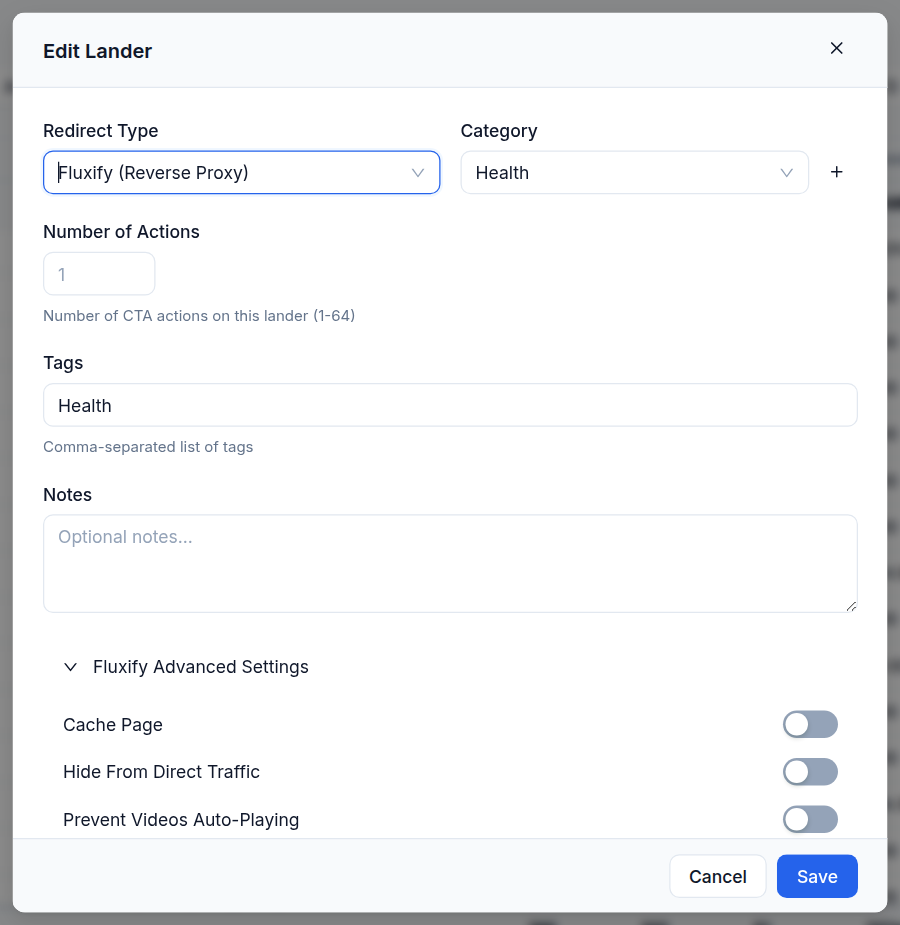
When you choose Fluxify, the form shows Fluxify Advanced Settings. Expand the section and scroll the window to see every setting:
- Cache Page
- Hide From Direct Traffic
- Prevent Videos Auto-Playing
- Disable Exit Popups
- Break Analytics
- Enable Link Rewriter: replace links on the page, from one URL (From URL) to another (To URL).
- Enable Content Rewriter: replace HTML on the page (Find HTML and Replace With pairs), and add your own code with Inject into <head> and Inject into <body>.
- Spoof Referrer & UA: send the target page referrers and user agents from lists you provide, one per line.
Only use Fluxify on pages you have the right to proxy and modify.