

Using custom fields to inject randomised custom text into lander/offer urls
Custom fields let a lander or offer URL include a value picked at random from a list you provide. The steps are the same for landers and offers.
Add custom fields
Section titled “Add custom fields”- Open Landers (or Offers) and create or edit the lander.
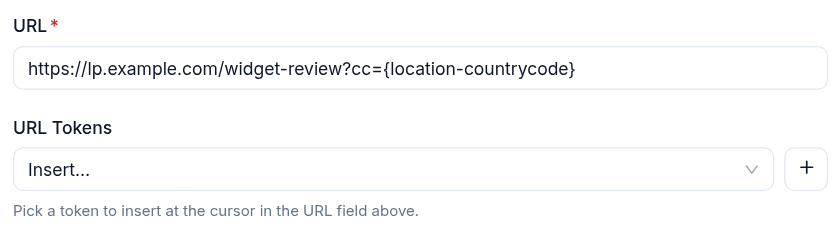
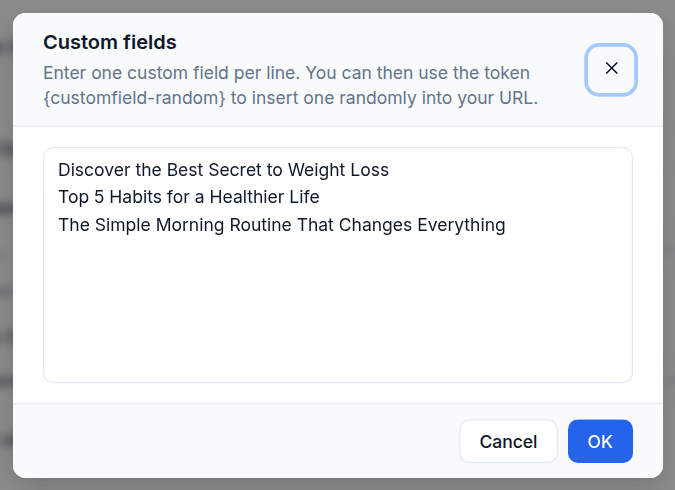
- Under the URL, find URL Tokens and click the + button next to it (its tooltip is “Custom fields”). The Custom fields window opens.
- Enter one value per line.
- Click OK.
Use the token
Section titled “Use the token”Put {customfield-random} in the URL where a value should go, for example:
https://example.com/lander/?variant={customfield-random}
Each time a visitor is sent to the lander, FunnelFlux replaces the token with one of your values, chosen at random.
When to use it
Section titled “When to use it”Use custom fields to vary content on a page, or to pass a value without revealing the real one.
For example, you can pass a randomised ID in place of a real publisher or placement ID, so anyone reading the URL doesn’t see your real IDs.
You can also pass random values such as a bid or cost=0.017 to landers, so competitors who read your URLs get misleading numbers.