

Calling an external API from a PHP node
A PHP node can call an external API and route the visitor from the response.
The worked example calls the OpenWeather API with the visitor’s city and routes on the current weather. A thunderstorm sends the visitor down one route, any other weather down another.
The funnel:
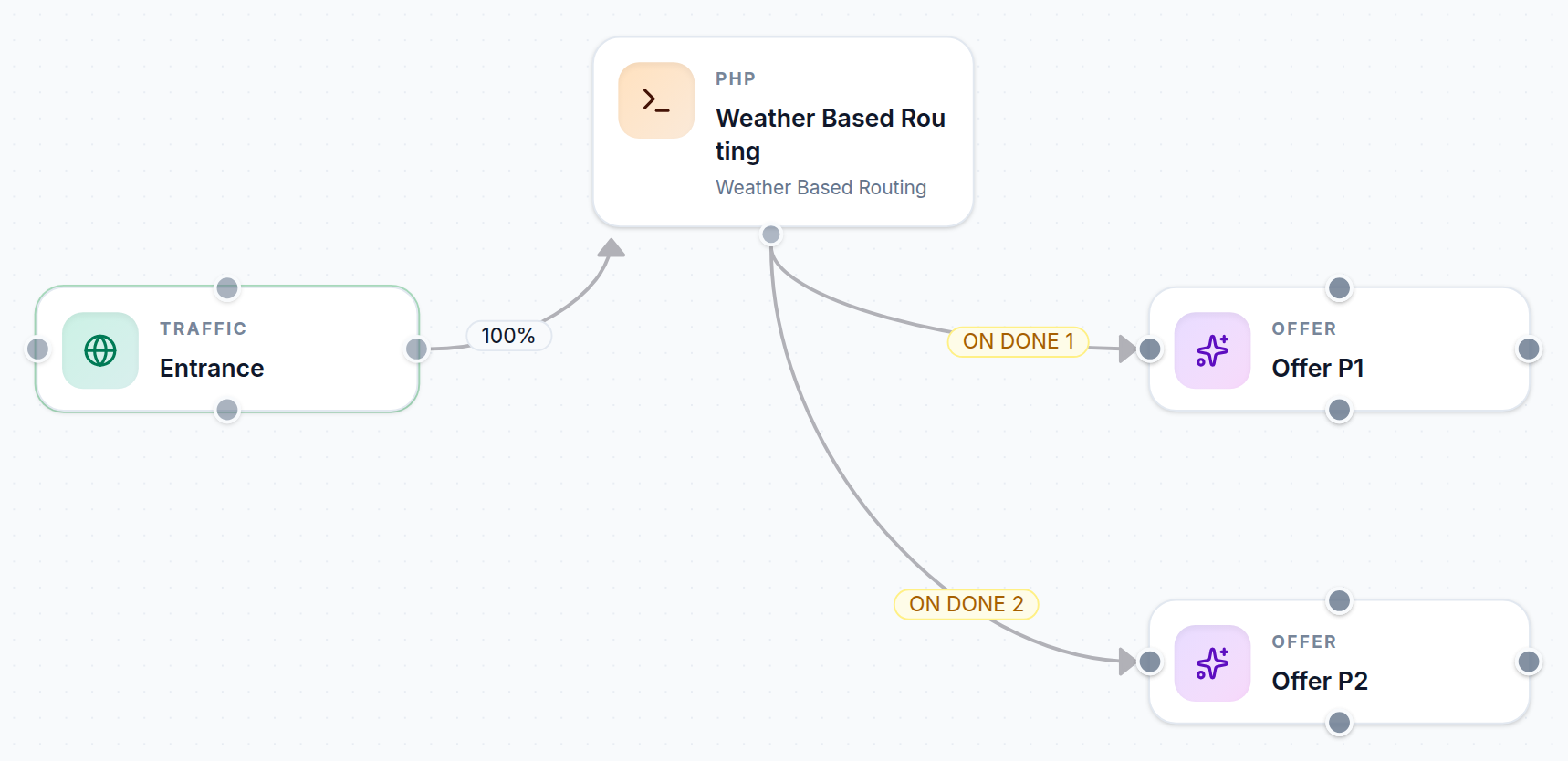
Routes
Section titled “Routes”The code picks a route by returning an On Done number:
return 1; // follow the On Done 1 connectionreturn 2; // follow the On Done 2 connectionRight-click each connection leaving the PHP node to set its On Done #. A PHP node can have up to 64 outgoing connections.
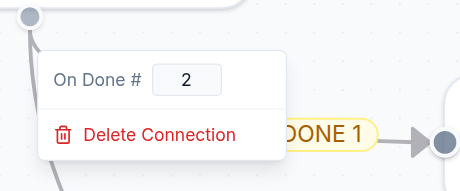
In this example, On Done 1 is the default route and On Done 2 is the thunderstorm route.
The code
Section titled “The code”Get an API key from your OpenWeather account.
Double-click the PHP node and enter this code:
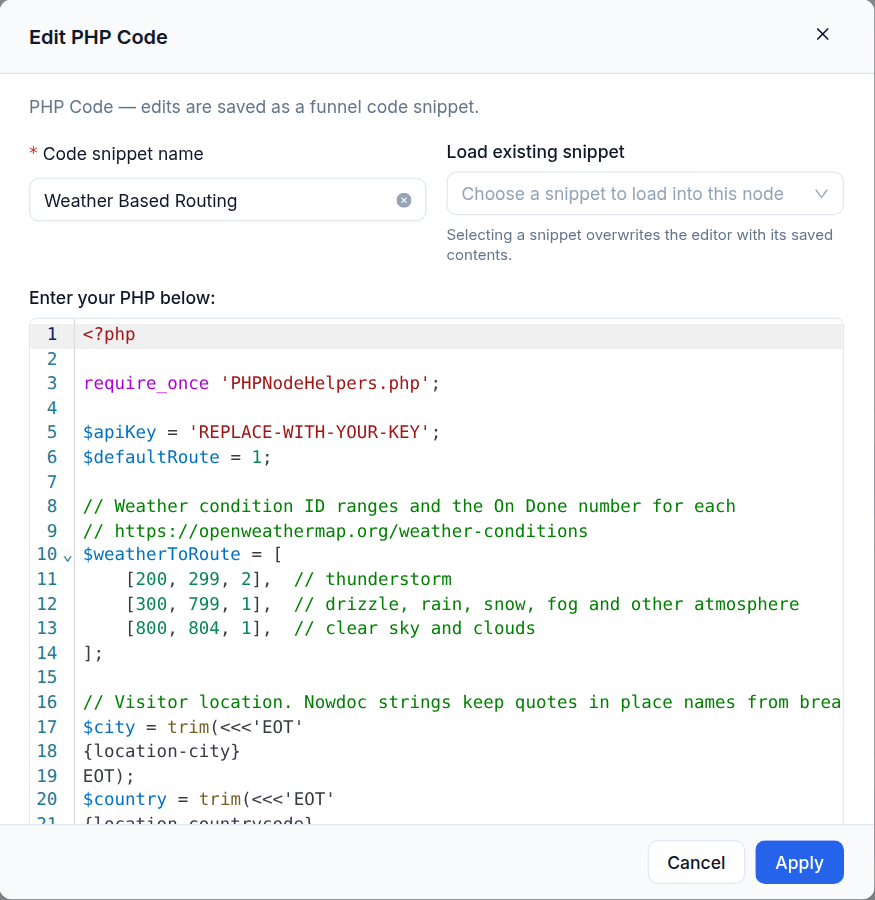
<?php
require_once 'PHPNodeHelpers.php';
$apiKey = 'REPLACE-WITH-YOUR-KEY';$defaultRoute = 1;
// Weather condition ID ranges and the On Done number for each// https://openweathermap.org/weather-conditions$weatherToRoute = [    [200, 299, 2],  // thunderstorm    [300, 799, 1],  // drizzle, rain, snow, fog and other atmosphere    [800, 804, 1],  // clear sky and clouds];
// Visitor location. Nowdoc strings keep quotes in place names from breaking the code.$city = trim(<<<'EOT'{location-city}EOT);$country = trim(<<<'EOT'{location-countrycode}EOT);
if ($city === '') {    return $defaultRoute;}
$context = stream_context_create(['http' => ['timeout' => 2]]);
// 1. City name to coordinates (Geocoding API)$geoUrl = 'https://api.openweathermap.org/geo/1.0/direct?' . http_build_query([    'q' => $city . ',' . $country,    'limit' => 1,    'appid' => $apiKey,]);$geo = json_decode((string) @file_get_contents($geoUrl, false, $context), true);if (empty($geo[0]['lat'])) {    return $defaultRoute;}
// 2. Current weather at those coordinates$weatherUrl = 'https://api.openweathermap.org/data/2.5/weather?' . http_build_query([    'lat' => $geo[0]['lat'],    'lon' => $geo[0]['lon'],    'appid' => $apiKey,]);$weather = json_decode((string) @file_get_contents($weatherUrl, false, $context), true);if (empty($weather['weather'][0]['id'])) {    return $defaultRoute;}
$weatherId = (int) $weather['weather'][0]['id'];
// Pass the description on, for example to use as {buffer-q} on the next pagePHPNodeHelpers::accumulateParam('q', $weather['weather'][0]['description']);
foreach ($weatherToRoute as [$min, $max, $route]) {    if ($weatherId >= $min && $weatherId <= $max) {        return $route;    }}
return $defaultRoute;
?>
The code does this:
- It reads the visitor’s city and country code from FunnelFlux tokens.
- It converts the city to coordinates with the OpenWeather Geocoding API.
- It gets the current weather for those coordinates from the OpenWeather Current Weather API.
- It adds the weather description to the Accumulated URL Params buffer as
q. - It returns the On Done number for the weather condition ID.
If any step fails, or either API call takes longer than two seconds, the visitor follows the default route.
Using the same pattern for other APIs
Section titled “Using the same pattern for other APIs”Call the API from the PHP node, read the response, then return the On Done number for that visitor.
Keep these in mind:
- The visitor waits for every call. Set a short timeout and return a default route when a call fails.
- Calls run for every visitor that reaches the node. Check the API’s rate limits and cache results where you can.
- Read values the visitor controls, such as tracking fields, with
PHPNodeHelpers::loadTrackingFields()rather than pasting a token into a string.
See PHP node helper functions for the helper functions and how routes are chosen.