

How do I change the license associated to a specific tracker installation?
When you log in to a FunnelFlux tracker installation, the system checks whether it is licensed. If it isn’t, it attaches the first available license on your account.
Sign in at /admin/login.php on the licensed domain.
After login you land in the classic interface at /admin/.
Open /v2-ui/, or click V2 UI in the classic header, to reach the V2 Dashboard.
Move the license to another domain on the same server
Section titled “Move the license to another domain on the same server”- Point the new domain or subdomain at the server, as described in Using Cloudflare DNS for your tracker.
- In the Dashboard, click the Settings (gear) icon in the top bar, then click System Settings.
- In the domains section, add the new domain under Domain Inventory.
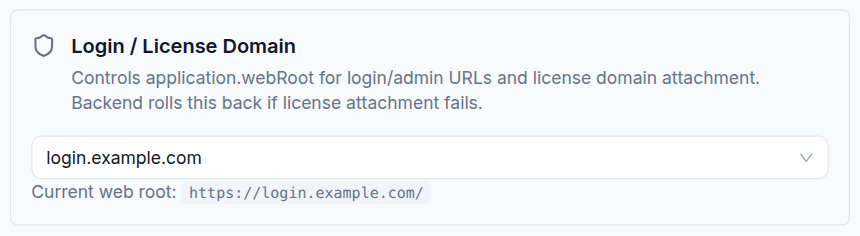
- Choose it under Login / License Domain. FunnelFlux attaches your license to the new domain and changes the address you sign in on. If the license cannot be attached, it keeps the old domain.
- Sign in again on the new domain at
/admin/login.php.
If this fails, ask our support team to detach the license from the current domain, then sign in on the new domain. The installation attaches the free license to the domain you sign in on. Use the chat in your FunnelFlux dashboard or email support@funnelflux.com.
Attach a specific license
Section titled “Attach a specific license”If you have multiple licenses and want to attach a specific one to a certain installation, contact our support team. Use the chat in your FunnelFlux dashboard or email support@funnelflux.com. You can’t force a license key manually within the FunnelFlux software, because those parts of the software are encrypted.
We can reallocate licenses at your request, but this requires us to access your installation’s server by SSH.