

Sending data back to the traffic source
When a conversion occurs, you may want to send the click ID that produced the sale back to the traffic source. The traffic source then knows which of its clicks converted.
You set this up on the traffic source:
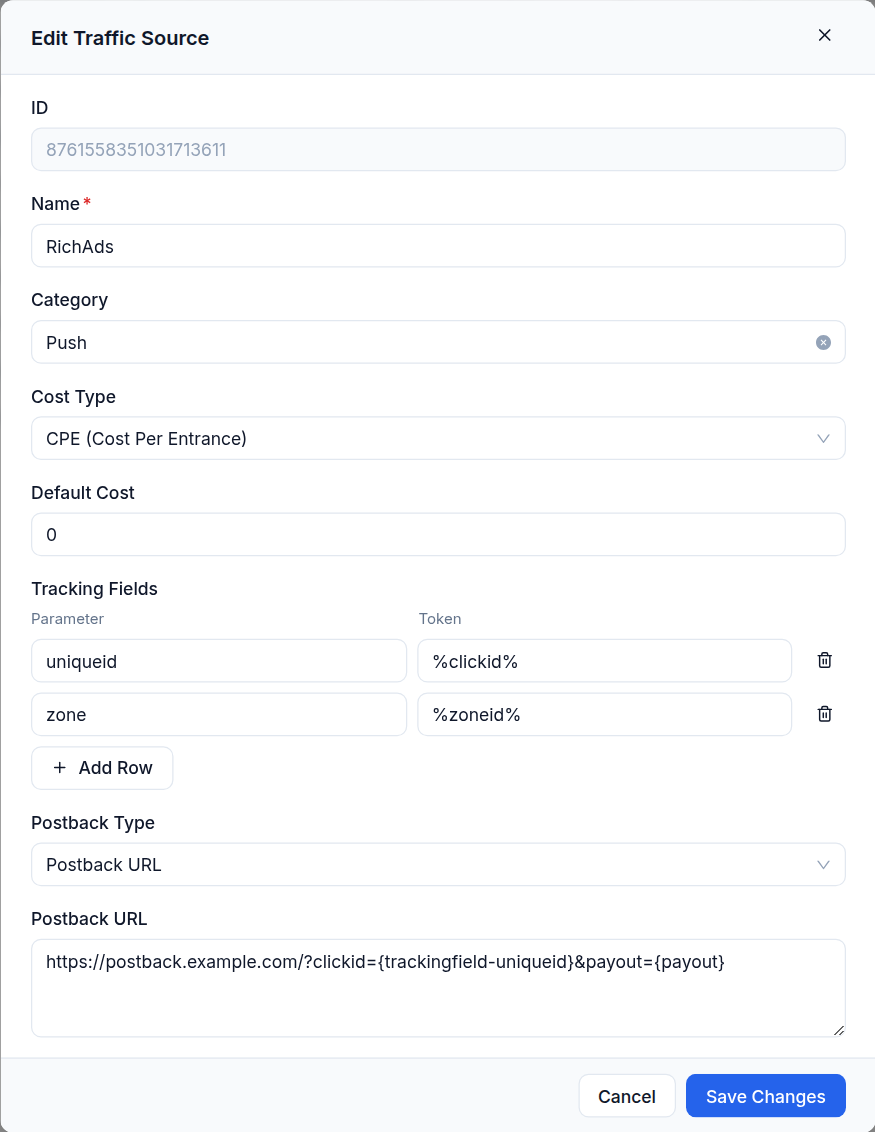
- Under Tracking Fields, add a row that captures the source’s click ID. Put the parameter name in Parameter and the source’s click ID token in Token.
- Set Postback Type to Postback URL.
- Paste the source’s postback URL into Postback URL.
Where the source expects its click ID, put
{trackingfield-fieldname}, replacingfieldnamewith the parameter name from step 1.
For example, if the tracking field parameter is clickid, use {trackingfield-clickid} in the postback URL.
When a conversion is recorded, FunnelFlux calls that postback URL with the stored click ID filled in.
To pass the same click ID to an offer instead, see Sending data from the traffic source to the offer.