

Configuring a traffic source
FunnelFlux tracks advertising traffic. Before anything moves, you need a source of visitors clicking on ads or links.
That could be Facebook, Google Ads, display or banner ads, a mobile DSP, or links in blog posts. Add each source to FunnelFlux separately so incoming traffic can be told apart.
Open Sources > Traffic Sources and click Add Traffic Source.
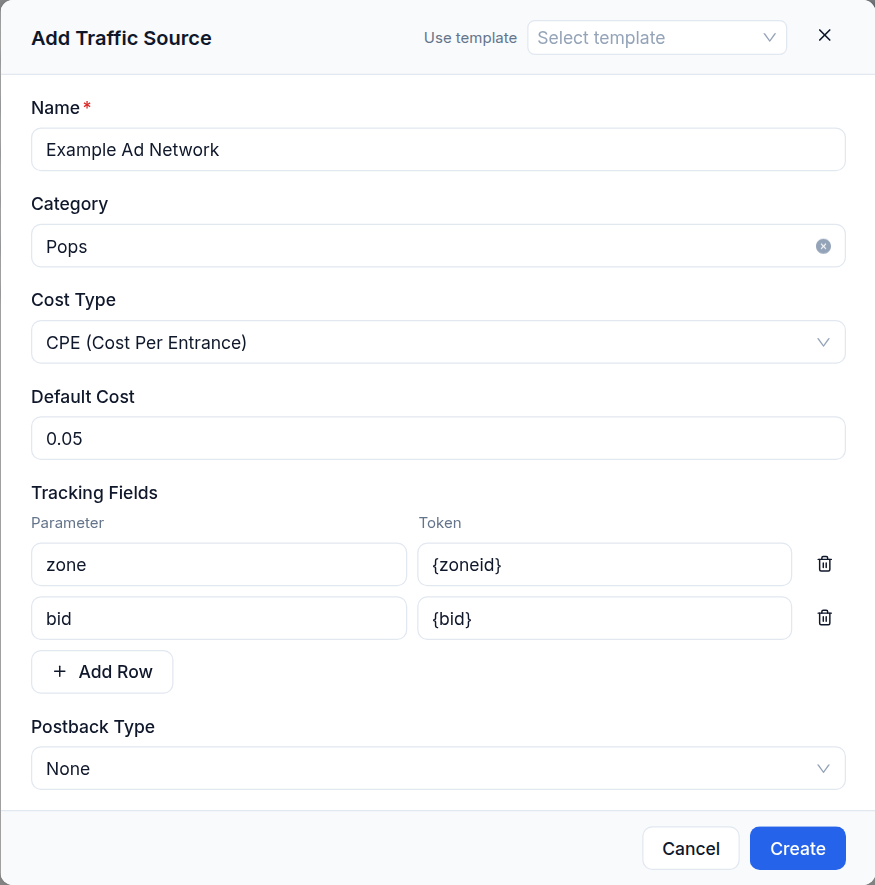
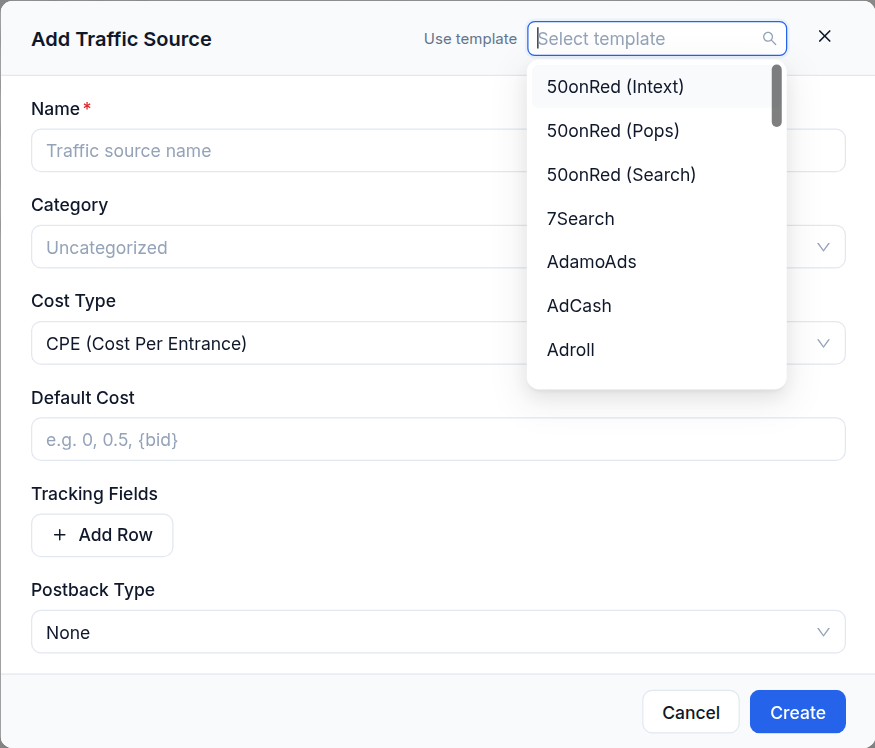
For common sources, choose one under Use template to fill in the fields. Otherwise, set them up yourself.
Traffic source settings
Section titled “Traffic source settings”-
Name: the traffic source name.
-
Category: optional, for sorting your traffic sources.
-
Cost Type: how the traffic source bills you. Usually this is CPE (Cost Per Entrance): the cost of each visitor entering FunnelFlux. CPA (Cost Per Action) is rare and applies to sources that bill you only when traffic converts.
-
Default Cost: a fixed cost such as
0or0.5, or a traffic source token such as{bid}that passes the real cost in the link. A fixed default is rarely accurate, so pass cost in the link when the source supports it. -
Tracking Fields: the default query string structure for this traffic source. Tracking relies on passing data in query strings, for example
page.html?name=bob&age=27&location=US. Each row has a Parameter (the name in the link) and a Token (the traffic source’s own placeholder, such as{campaignid}).
What you add depends on the data you want from the source and which dynamic tokens (macros) it supports. Check your traffic source’s documentation for its tokens.
If a source has no dynamic tokens, add fields such as creative and campaign anyway and put REPLACE as the token.
Your FunnelFlux links for that source then contain obvious REPLACE placeholders that remind you to fill them in by hand.
Conversion tracking
Section titled “Conversion tracking”Postback Type sets how FunnelFlux reports conversions back to the traffic source:
- None: no conversion tracking.
- Postback URL: a server-to-server request to the traffic source.
- Pixel URL: an image pixel URL.
- JavaScript: code that fires on the conversion page through the FunnelFlux conversion iFrame.
Postback URL tracking is the most common. You pass a unique click ID from the traffic source to FunnelFlux, and FunnelFlux sends it back when a conversion happens.
For example, if the traffic source’s click ID token is %clickid%, add a tracking field with that token:
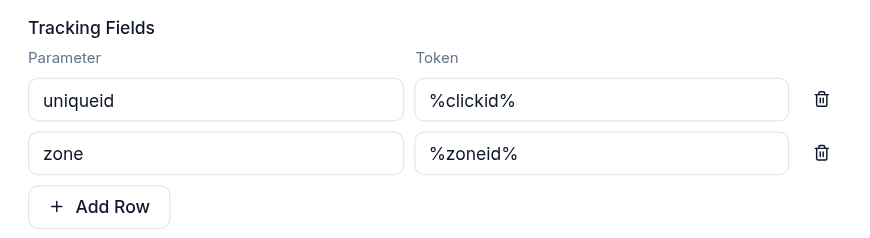
Then pass that value back in the Postback URL with the FunnelFlux token for the field.
Every tracking field has a token in the form {trackingfield-fieldname}, in this case {trackingfield-uniqueid}:
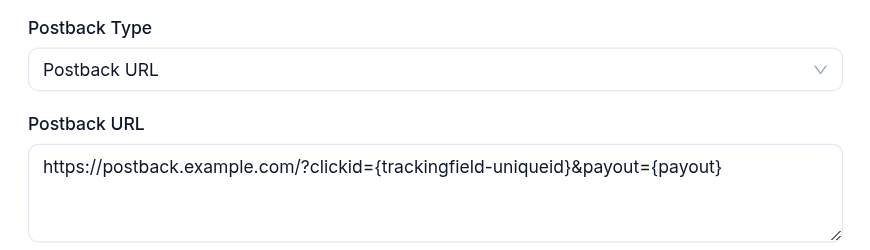
Save the traffic source when you are done.
Changing a traffic source later
Section titled “Changing a traffic source later”You can change a traffic source at any time, and the links FunnelFlux generates update to match.
If you remove a tracking field or rename it, links you created earlier still carry the old parameter, and FunnelFlux drops that data.
For example, if you delete the field adID, existing links that pass adID keep working, but the value is no longer logged.