

Firing image pixels with Javascript nodes
A JavaScript node shows the visitor a blank intermediate page, runs your code there, then redirects to the next node after a delay.
To add one, right-click the funnel canvas, open Advanced and choose Add JS Code. Double-click the node to edit the code. Set the wait in Delay before redirect (milliseconds). The default is 1000.
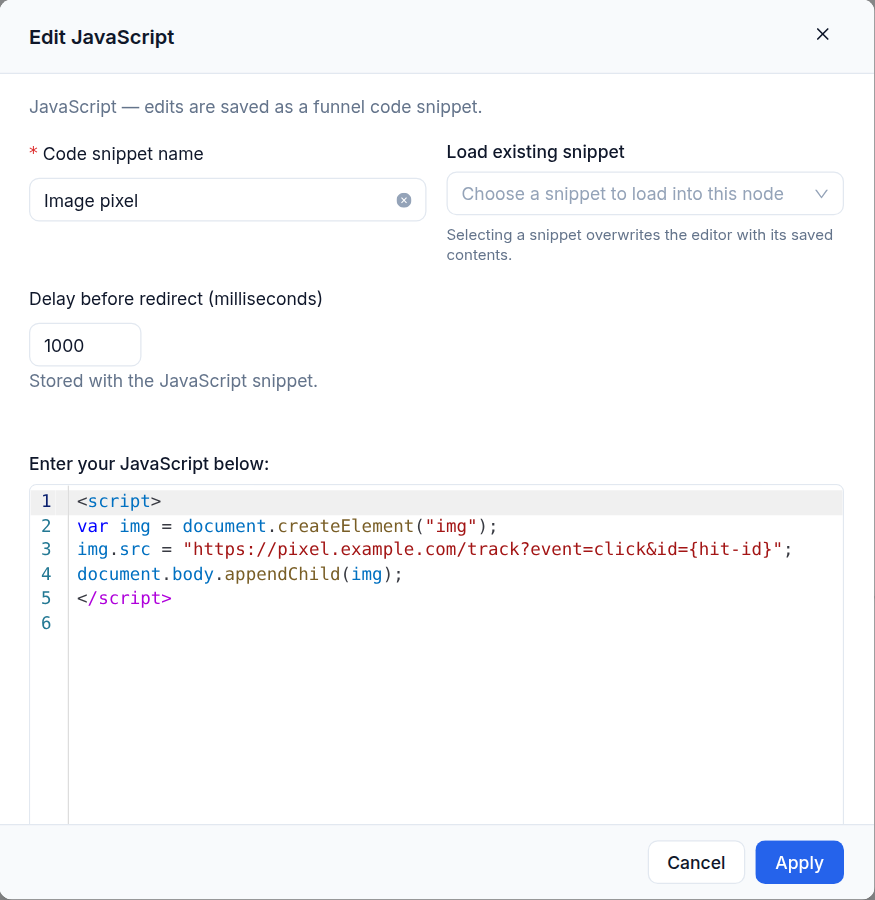
Put your JavaScript inside <script> tags.
FunnelFlux takes the contents of inline <script> tags and runs them as one function.
Text outside <script> tags is placed on the page as HTML, and <script src="..."> tags are loaded as they are.
To fire an image pixel, create the image from JavaScript:
<script>var img = document.createElement("img");img.src = "URL_HERE";document.body.appendChild(img);</script>Replace URL_HERE with the pixel URL you want to load.
An <img> tag outside the script also loads, because it is placed on the page as HTML.
The pixel has only the redirect delay to load. If the pixel server is slow, raise the delay.
You can use any {tokens} in the code.
FunnelFlux replaces them before the page is sent to the visitor.
To choose a route, return an On Done number from the script, the same way as in a PHP node.
The redirect happens when the delay ends, so the return value must be set when the script runs, not inside a callback.
If the script returns nothing or a number with no connection, the visitor follows the connection with the lowest On Done number.