

Updating tracking field data using PHP nodes
You can update a stored tracking field from something the visitor chooses on a page.
Define that tracking field on the traffic source first, and leave the default value blank.
Getting started
Section titled “Getting started”Say you want to sell a product in three sizes: regular, double, and max XL.
Before you build all three, you want to know which size visitors choose.
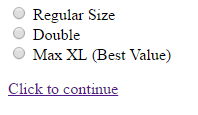
Use a page with three radio buttons and ask the visitor which size they would order.
The test page:
What has to be in place
Section titled “What has to be in place”- The traffic source in FunnelFlux needs a tracking field to store the choice.
- The page that captures the choice needs JavaScript that appends the choice to the action link, so FunnelFlux receives it.
- The funnel must read that parameter and replace the tracking field from step 1.
Step 1: Set up the traffic source
Section titled “Step 1: Set up the traffic source”Add a tracking field on the traffic source for the choice.
This example uses an FB Ads traffic source:
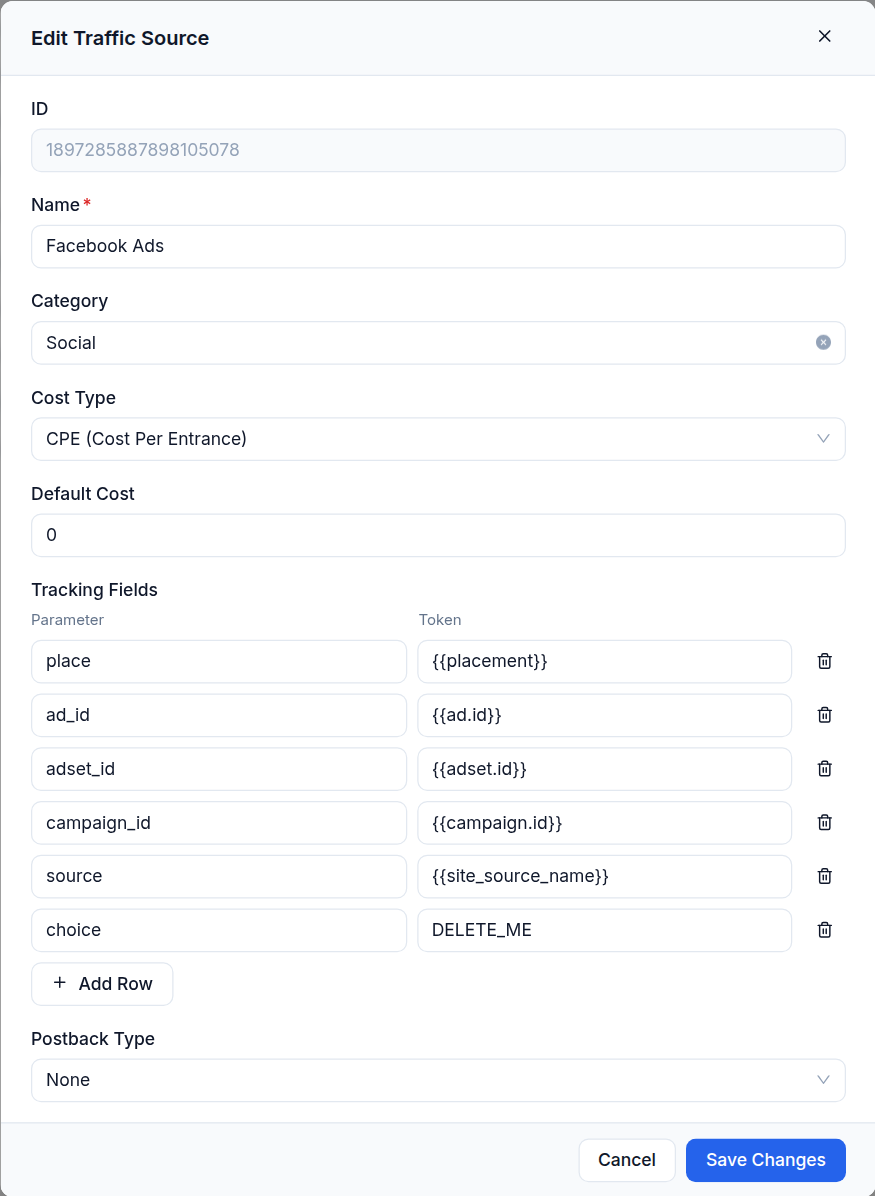
The screenshot names the field choice and gives it the placeholder value DELETE_ME.
Name your field product-choice so it matches the PHP code in step 3.
You can leave the default value empty, because the PHP node fills it in.
Step 2: Set up the lander
Section titled “Step 2: Set up the lander”Add parameters to the action URL on the lander.
FunnelFlux adds custom parameters on action URLs to the Accumulated URL Params buffer.
That buffer is available for the rest of the funnel.
If the action URL on the lander is https://your-flux-domain.com/?flux_action=1, append the choice:
https://your-flux-domain.com/?flux_action=1&product-choice=regularThe parameter value is the choice the visitor made.
Update the action link on the page as soon as the visitor selects a new option. When they click that link, later nodes can read the product choice.
A working page:
<body>
<form id='form-product-choices' action=''><input type='radio' name='product-choice' value='regular' /> Regular Size<br/><input type='radio' name='product-choice' value='double'  /> Double<br/><input type='radio' name='product-choice' value='max-xl'  /> Max XL (Best Value)</form>
<a id='action-link' href=''>Click to continue</a>
<script>var form = document.getElementById('form-product-choices');  form.addEventListener('change', function(e)    {    // Update the HTML action link based on the selected product.    // The product choice is appended to the action 1 url     var actionUrl = 'https://your-flux-domain.com/?flux_action=1';     var radioButtons = document.getElementsByName('product-choice');        for( var i = 0; i < radioButtons.length; i++ ) {          if( radioButtons[i].checked ) {            actionUrl += '&product-choice=' + radioButtons[i].value;            break;           }         }     document.getElementById('action-link').href = actionUrl;     });</script>
</body>
Step 3: Set up the funnel
Section titled “Step 3: Set up the funnel”The demo funnel:
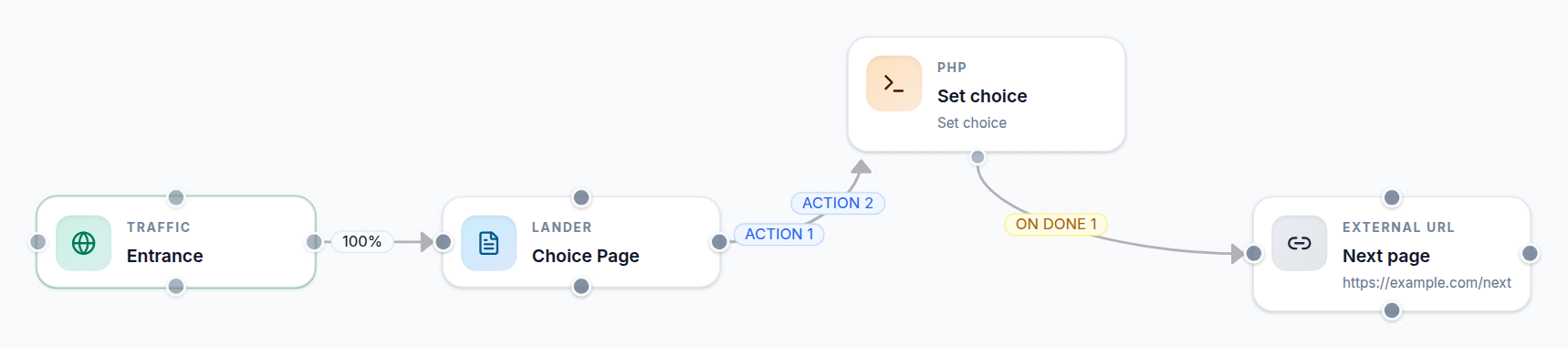
The lander “Choice Page” is the page with the choices and the action link.
After the click, the visitor goes through a PHP node.
That node reads product-choice from the accumulation buffer and replaces the traffic source’s product-choice tracking field with the new value.
After that, the visitor is redirected to an external URL, https://example.com/next in this demo.
Double-click the PHP node to open the code editor:
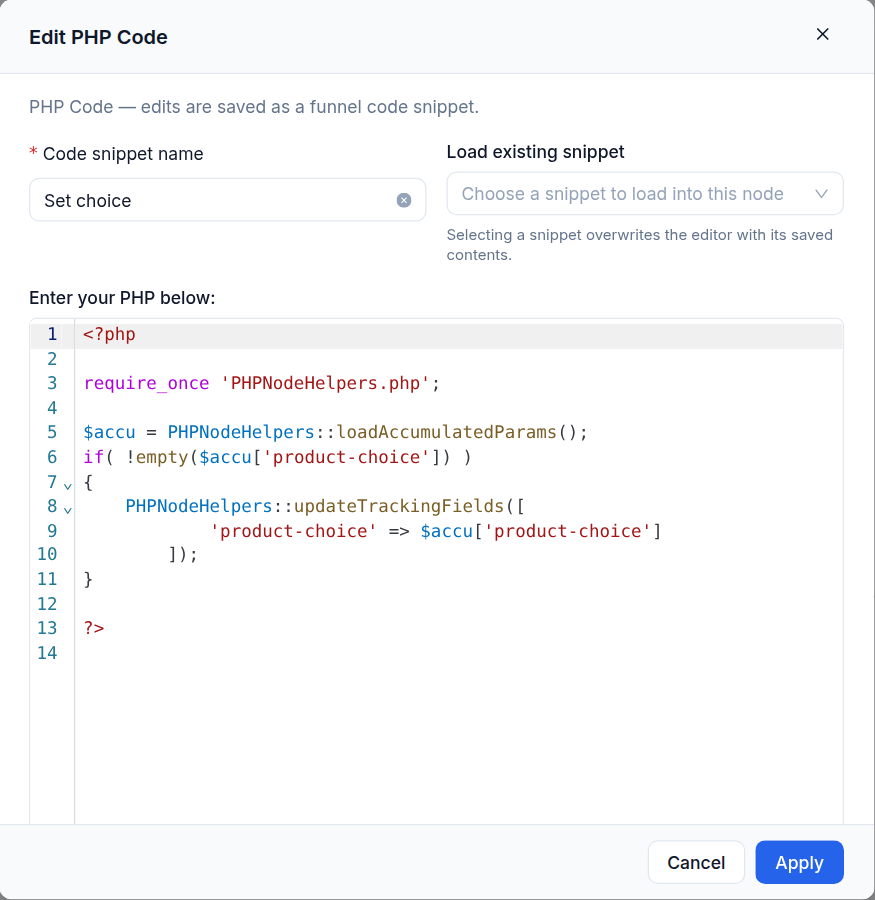
The same code, for copy and paste:
<?php
require_once 'PHPNodeHelpers.php';
$accu = PHPNodeHelpers::loadAccumulatedParams();if( !empty($accu['product-choice']) ){    PHPNodeHelpers::updateTrackingFields([            'product-choice' => $accu['product-choice']        ]);}
?>
Important
Section titled “Important”Pass every tracking field you want to change to PHPNodeHelpers::updateTrackingFields in one call.
FunnelFlux records which fields an update changed, and a second call replaces that record with only its own fields.
The fields must already exist on the traffic source, or the update is ignored.
Result
Section titled “Result”For the visitor who went through this, the tracking field product-choice is updated to the size they chose.
The value also enters the Accumulated URL Params buffer. To pass the buffer to a later lander or offer, right-click that node, choose Advanced Settings and turn on Pass accumulated URL parameters.
Landers or offers after this PHP node that have {trackingfield-product-choice} in their URLs receive the value.