

How to best get support from the FunnelFlux team
FunnelFlux is a complex piece of software, and a self-hosted application can be a challenge without an experienced system administrator on hand.
We provide application support through the chat in your FunnelFlux dashboard and by email. We do not access your server, and we never ask for SSH keys, root, MySQL or other server credentials.
The sections below describe the information we need to resolve issues.
How to contact support
Section titled “How to contact support”There are two support channels:
- The chat in your FunnelFlux dashboard. Click the chat bubble Support chat button in the top bar, left of the light and dark mode toggle.
- Email to support@funnelflux.com.
The dashboard chat is the best option. It shows us your user details, which helps us understand your account, licenses, whether you are the admin or a secondary user, the installed FunnelFlux version and so on.
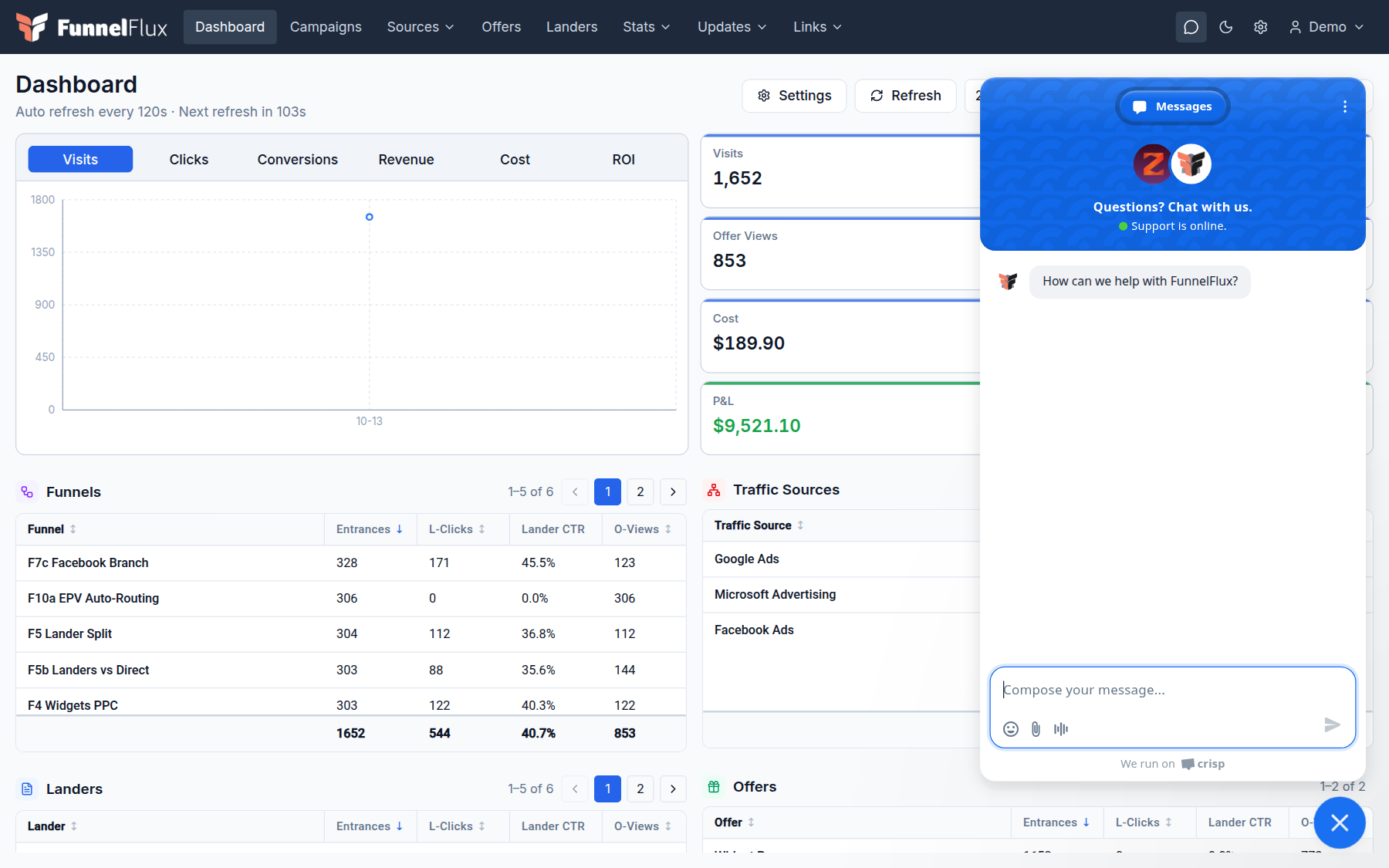
Conversations you have by email also appear in the chat in your dashboard, so you do not lose track of them.
What details to give us for general questions
Section titled “What details to give us for general questions”For general questions about the software, include the following:
-
If you are trying to work out how to do something or use a feature, tell us your goal. It is much easier to answer when we know what you are trying to achieve or what you expect from a feature.
-
If you want us to check your funnels, campaigns and other configuration directly, enable the support@funnelflux.com user under User Management in the settings (gear) menu. This lets us sign in with limited access to view your configuration.
-
If you have an issue with a specific funnel, traffic source or other item, give us its name, ID or URL. These can be hard to find if you have many of them.
-
Include screenshots in the chat or in your emails to show us the details of your question.
What details to give us for server and technical questions
Section titled “What details to give us for server and technical questions”For server-related questions, include at the start of the conversation:
-
Your server provider and server specs.
-
Ideally, the domain or IP of the server.
-
Any changes you have made to deal with the issue, and any other technical observations.
How to let us access your tracker
Section titled “How to let us access your tracker”Every tracker has a built-in FunnelFlux support user, support@funnelflux.com. It is disabled until you enable it.
Open the settings (gear) menu, choose User Management, and enable it.
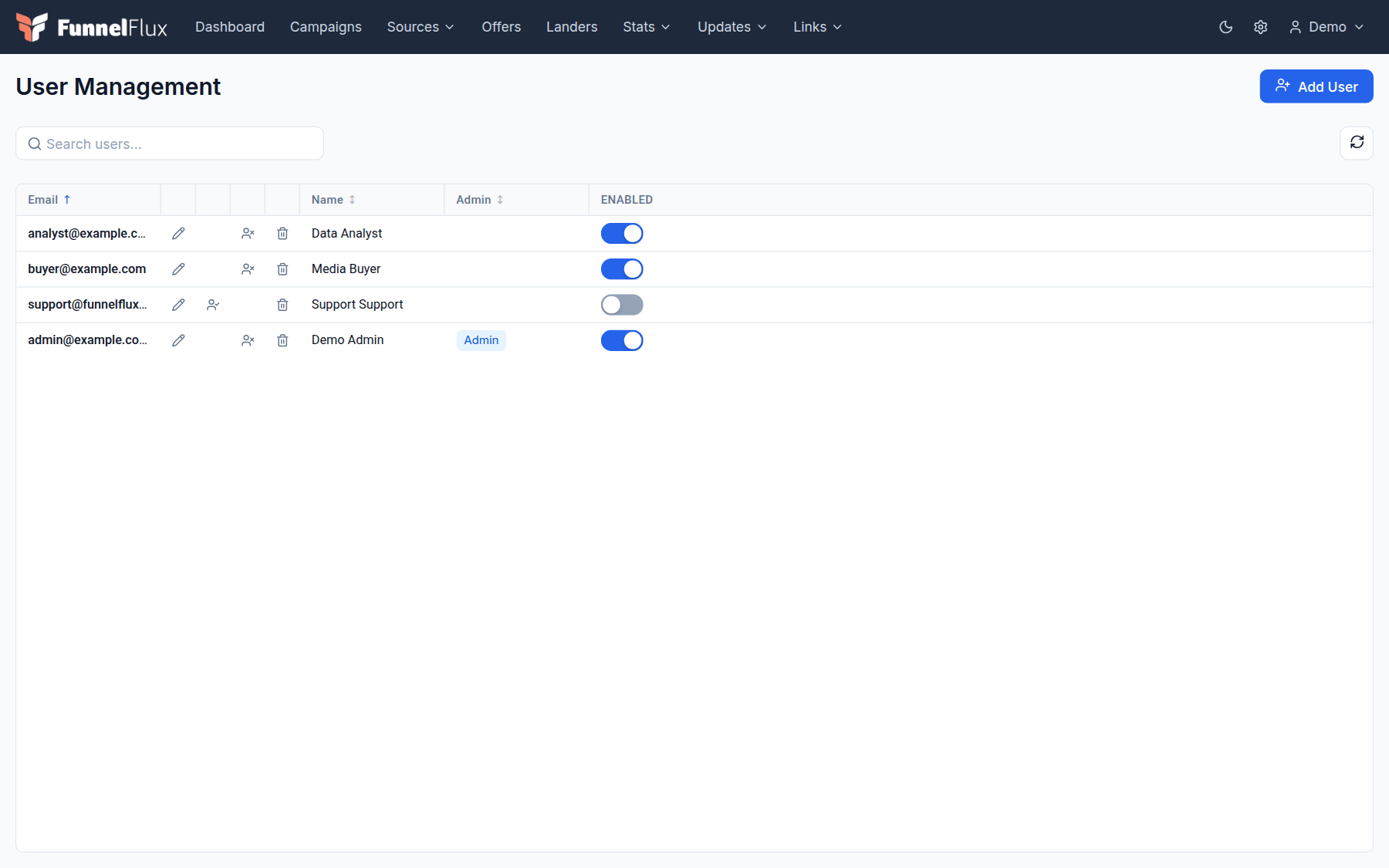
We do not need password details from you; our support system already tells us the tracker URL details we need.
Server setup
Section titled “Server setup”We do not set up servers for you.
If you have a complex server setup or your own system administrators, ask them to install FunnelFlux. Working in a non-standard environment that is already configured for something else is risky and time consuming.
FunnelFlux needs a fresh Ubuntu 24.04 VPS. Follow the installation guide, then contact us if you need help.
General notes and tips
Section titled “General notes and tips”Be detailed and open with us. If you ask for highly technical help but send redacted DNS records, or refuse tracker access for the support user to keep campaigns private, you make the issue harder to solve.
We are here to make your FunnelFlux tracker work efficiently and without errors, not to look at your campaigns, funnels, offers, traffic sources or their stats. The one exception: if we see you are running high volume, we know the risk that downtime and changes carry, and we take more care with any changes.
Servers are generally not simple, and running a self-hosted application with little experience and no system administrator can be challenging.
We help as well and as promptly as we can, but we cannot guarantee instant turnaround or enterprise-level support. Our technical support is a courtesy to our customers, not a service-level agreement.